
GEN6 is out, our most extensive and research-aligned version of TalkingTiles AAC
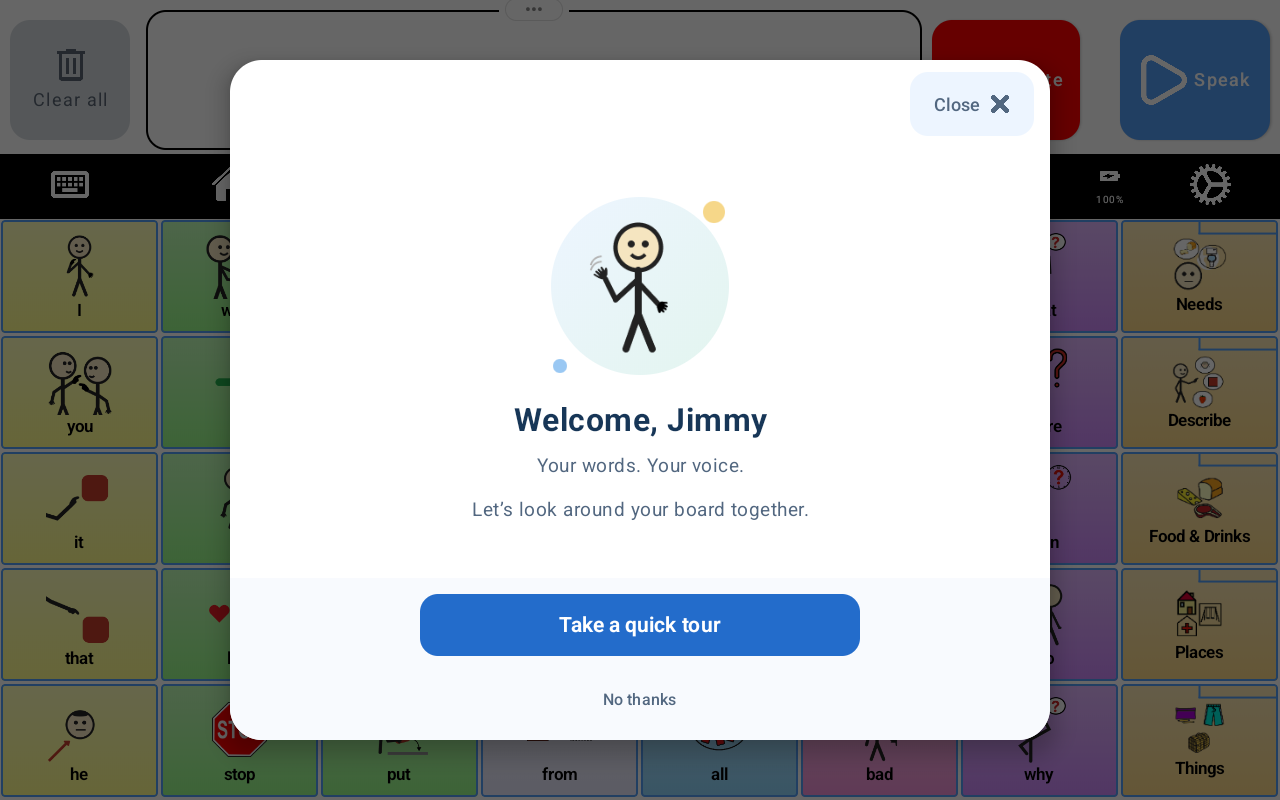
GEN6 is here. Our most extensive version of TalkingTiles AAC brings together new ways to explore language, build messages, access the board, and be heard. From interactive videos to keyboard suggestions, this release gives communicators more options for expressing themselves in everyday life.
The idea behind GEN6 is simple: communication tools should make room for different strengths, preferences, and ways of participating. Here are six features that put that idea into practice.
Ready to explore GEN6? Get yours now and find the TalkingTiles AAC device for your learner.
1. Interactive videos: bring language into everyday moments
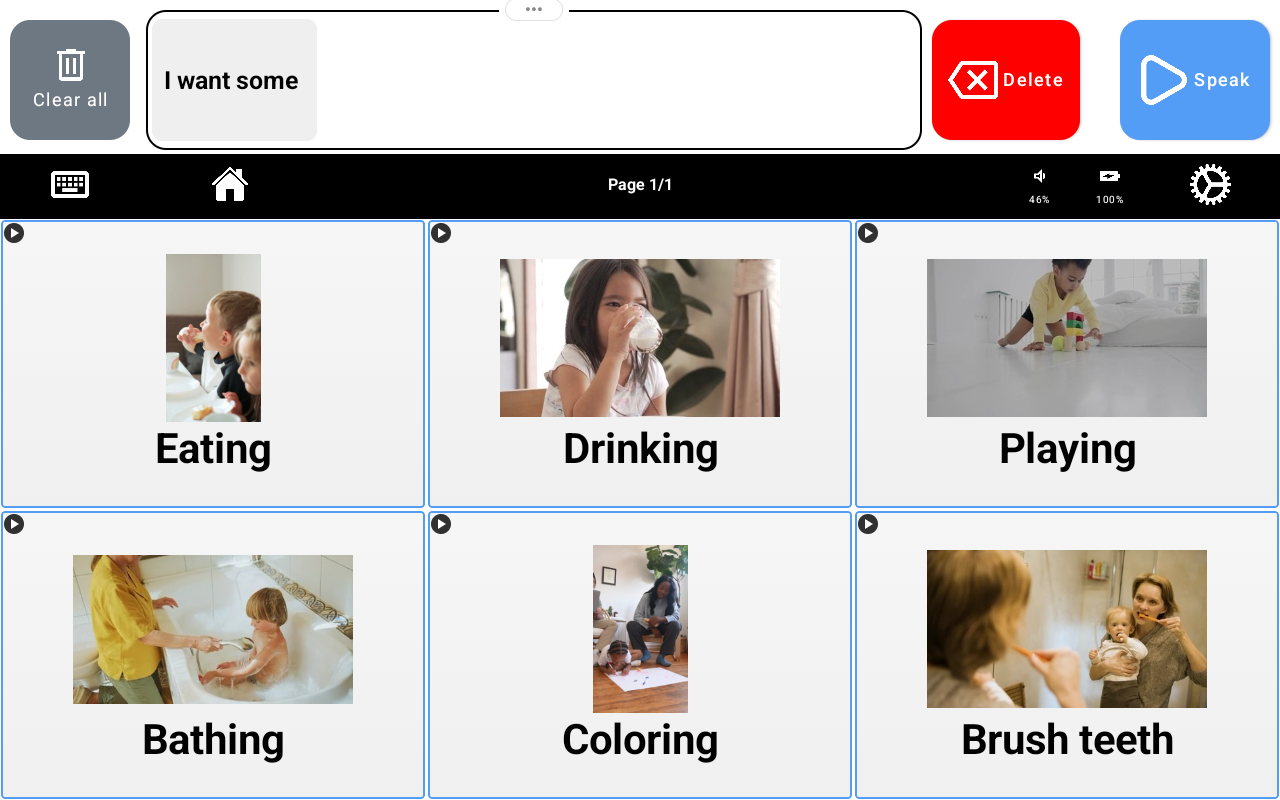
Eating, drinking, playing, bathing, coloring, brushing teeth—familiar activities offer plenty to talk about. GEN6 brings interactive video tiles onto the board, connecting words with actions and situations that people can recognize.
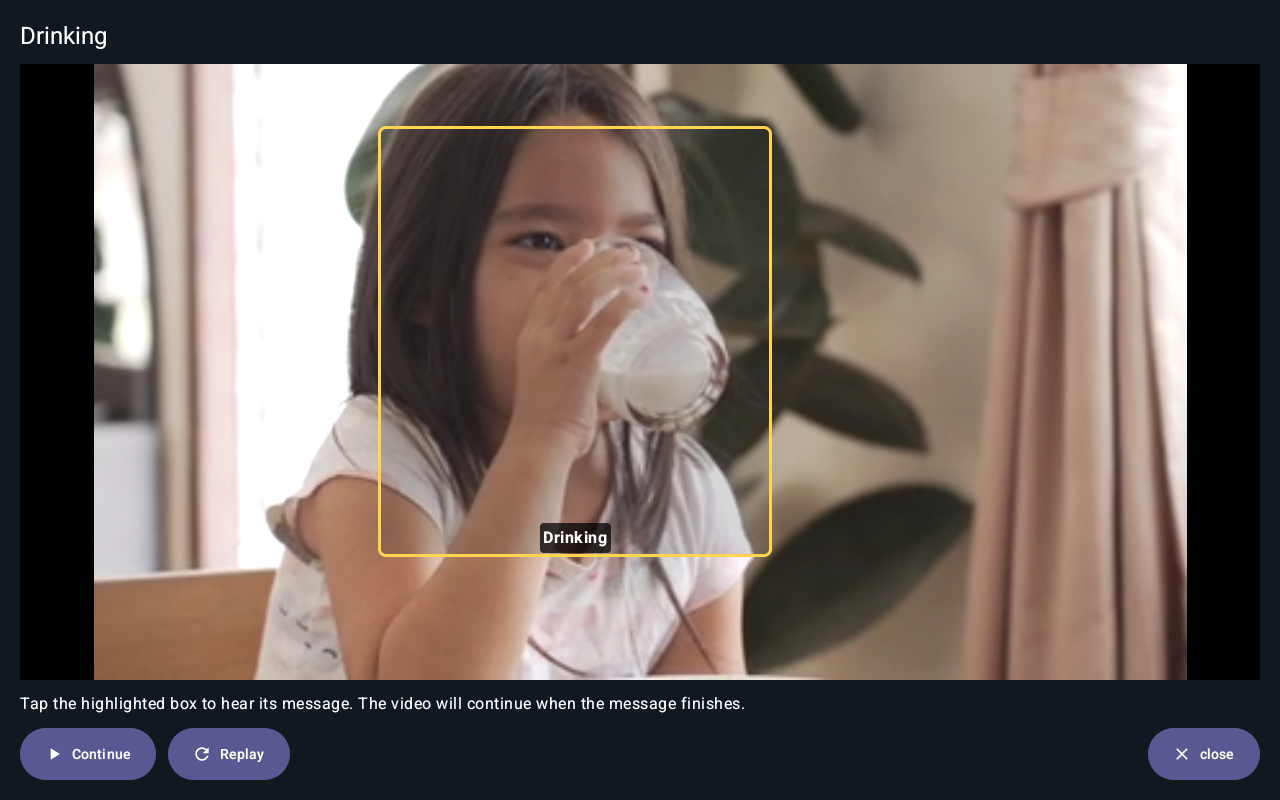
Open a video and, at an interactive moment, a highlighted box offers a message to hear. In the drinking example below, the communicator can tap the highlighted area to hear “Drinking.” The video continues when the message finishes, with Continue and Replay controls available on screen.
For families, educators, and communication partners, this creates an opportunity to pause, model a word, share attention, and leave space for a response. A short clip can become a conversation about what is happening, what someone likes, or what they want to do next.
This approach aligns with research on visual scene displays and video visual scene displays, which place communication hotspots within meaningful scenes and activities. The research supports the broader approach; it does not constitute a clinical evaluation of TalkingTiles GEN6.
2. Keyboard suggestions: more ways to build a message
For communicators who use spelling, GEN6 adds suggestions above the keyboard. In the example shown, “I want some” is followed by choices such as “water,” “food,” “juice,” and “more.” The suggestions provide readily available words while the keyboard remains available for composing something different.
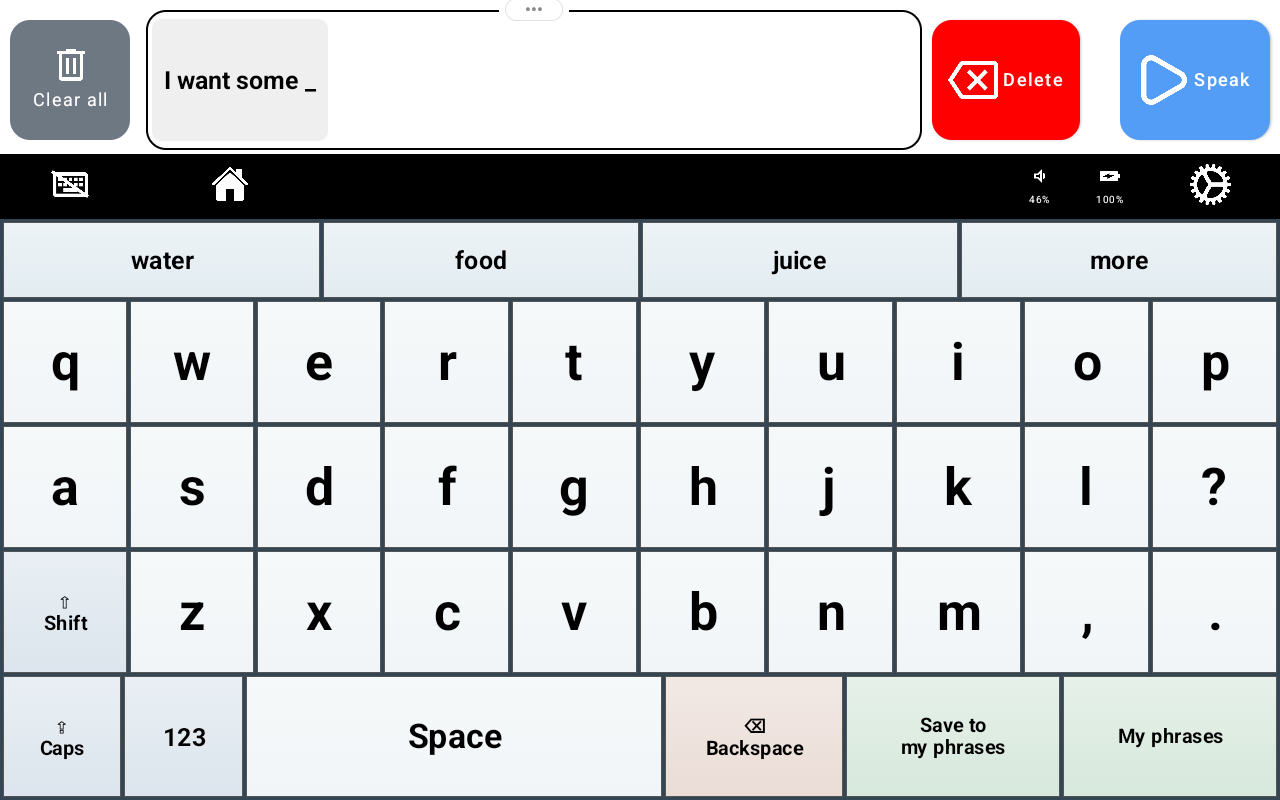
Having a word ready to select can reduce the number of letters someone needs to enter when a suggestion matches their intent. The communicator stays in control of what they say. The keyboard also places “Save to my phrases” and “My phrases” within reach for frequently used messages.
ASHA’s AAC Practice Portal identifies word and phrase prediction as tools for improving communication efficiency. GEN6 brings that principle into its keyboard experience.
Bring more ways to communicate into everyday life. Explore TalkingTiles AAC devices.
3. Scanning: another route to the communication board
Directly tapping a particular tile is not the most comfortable way for every person to access AAC. GEN6 adds scanning, with a visible highlight to help identify the part of the board currently being scanned. The screenshot below shows a row outlined in red.
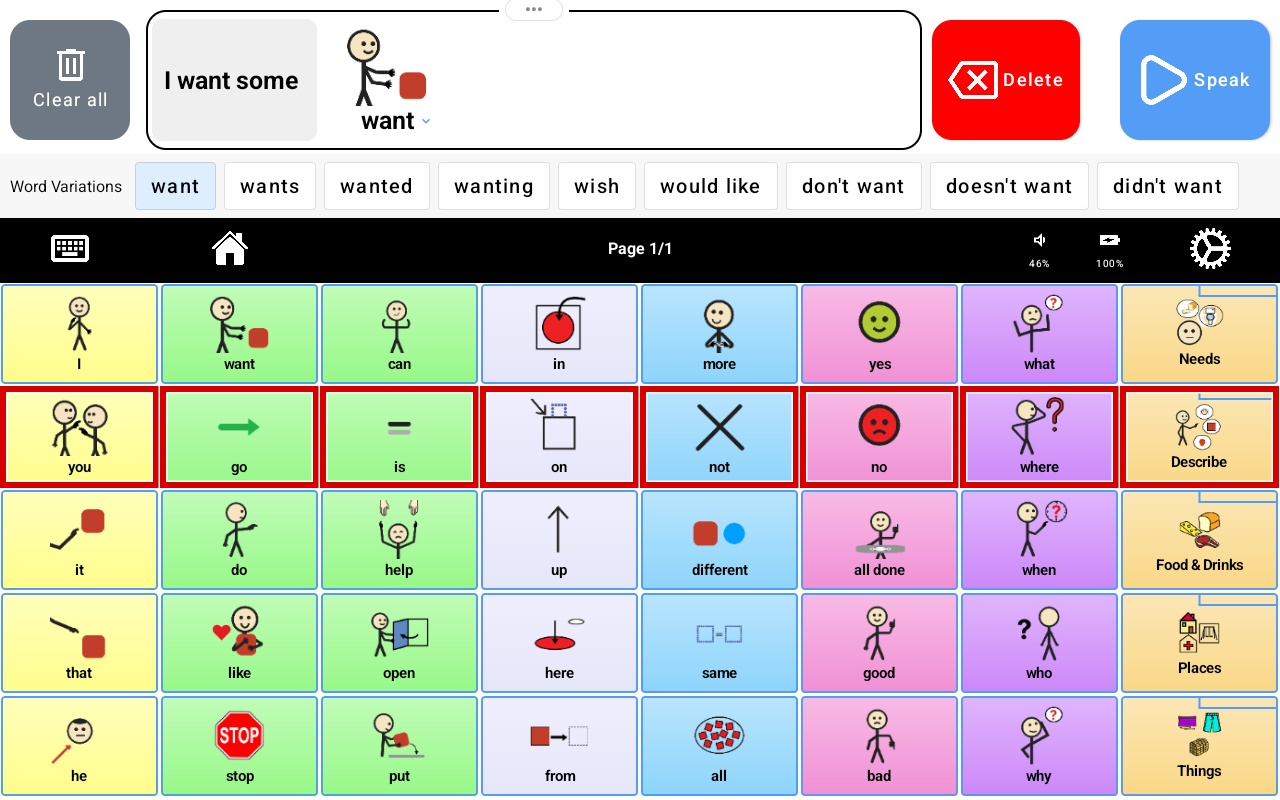
Scanning provides another access option to consider when matching the communication setup to a person’s motor abilities and preferences. The aim is to make the vocabulary available through an access method that fits the communicator.
ASHA describes scanning as an indirect selection method and emphasizes individual assessment when choosing AAC access. Finding a comfortable setup should be a collaborative process with the communicator and their support team.
4. Word variations: make room for more precise expression
Communication needs more than a single form of each word. GEN6 displays Word Variations near the message bar, making related forms and expressions easier to find while building a message.
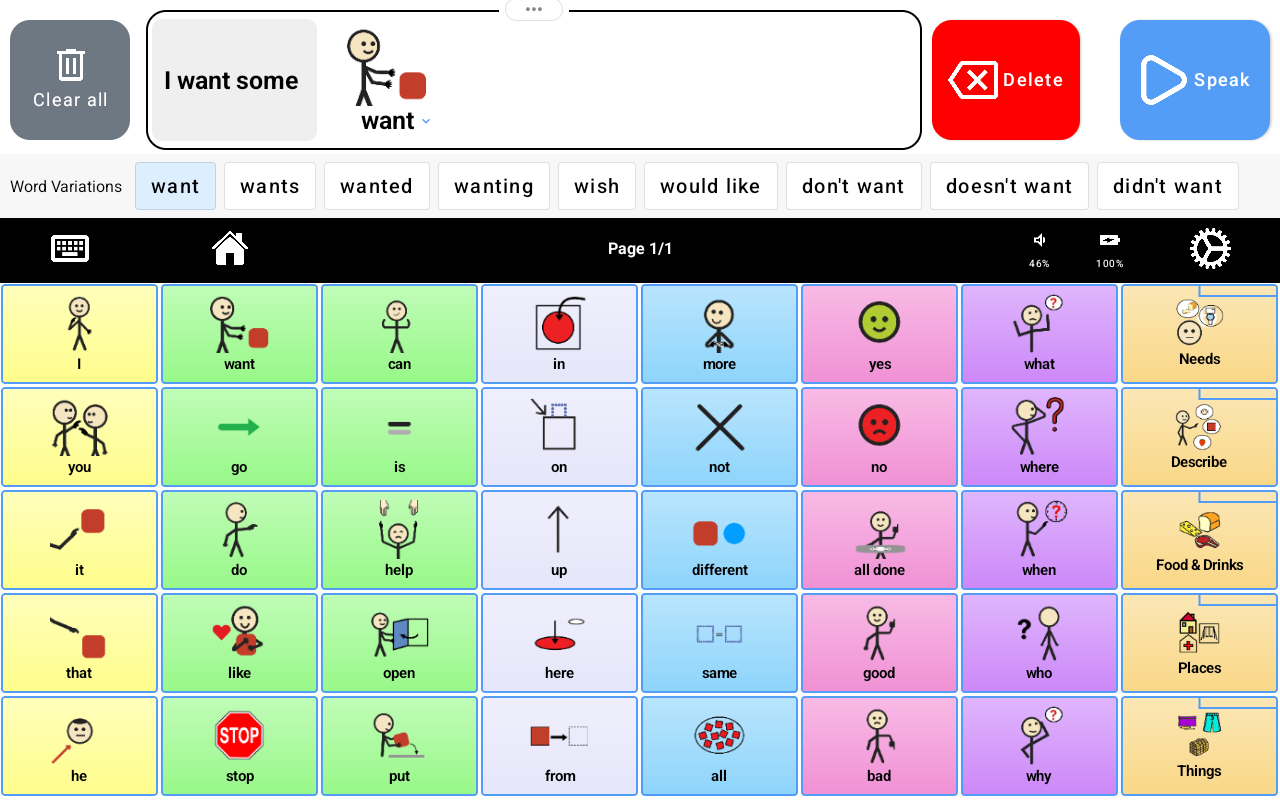
The example for “want” includes “wants,” “wanted,” and “wanting,” alongside expressions such as “wish,” “would like,” and “don’t want.” These options make differences in time, wording, and intent visible without requiring the communicator to hunt through unrelated vocabulary.
That matters because saying what happened, expressing a preference, and refusing something are all part of everyday communication. Word variations give communicators more choices for shaping their own meaning.
5. Profiles: one tablet, each learner’s own communication space
GEN6 introduces Profiles, so you can add multiple learners to the same tablet while giving each person their own boards and settings. A shared device can now hold a communication setup for each learner, tailored to their vocabulary, preferences, and needs.
For a family with more than one learner, a classroom, or a therapy setting, that means you can switch to the learner’s profile instead of rebuilding the board for each session. Each learner keeps their own boards and settings, making it easier to return to a familiar communication environment.
Sharing a tablet does not have to mean sharing the same vocabulary or setup. Profiles make room for individual learners and their different ways of communicating.
Looking for a device you can personalize for multiple learners? Find your TalkingTiles AAC device.
6. Connect Bluetooth audio: more flexibility for being heard
GEN6 places “Connect Bluetooth audio” in the Device settings, alongside volume, brightness, and screen timeout. This gives families and support teams an easy-to-find starting point for connecting compatible Bluetooth audio equipment.
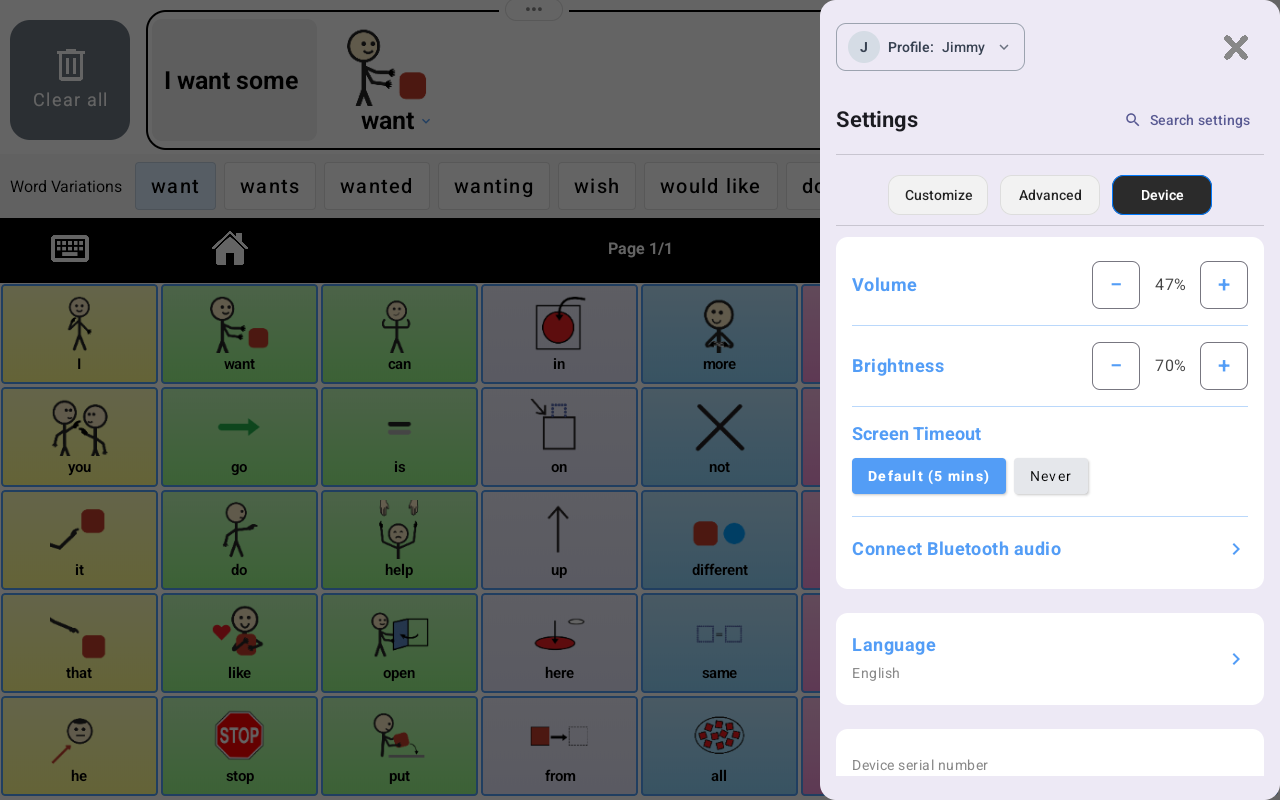
A compatible external speaker can offer another way to make speech output audible to communication partners. Choose the audio setup for the setting and the communicator’s preferences, and check the connection and volume before relying on it in a conversation.
A broader communication toolkit, centered on the person
Together, these additions make GEN6 our most extensive TalkingTiles AAC release yet: interactive videos for language in context, keyboard suggestions for typed messages, scanning for another way to access the board, word variations for richer expression, individual learner profiles on a shared tablet, and Bluetooth audio for flexible output.
Our research alignment comes from the design principles behind these choices: meaningful context, efficient message building, individual access, and room for language to grow. Features work best when they are chosen around the person using them and supported by responsive communication partners.
Your words. Your voice. GEN6 opens up more ways to explore, choose, and share them.
Ready to bring GEN6 into everyday communication?
Give your learner more ways to express their ideas, choices, and personality. Explore TalkingTiles AAC devices and choose the setup that fits your family, classroom, or therapy setting.