
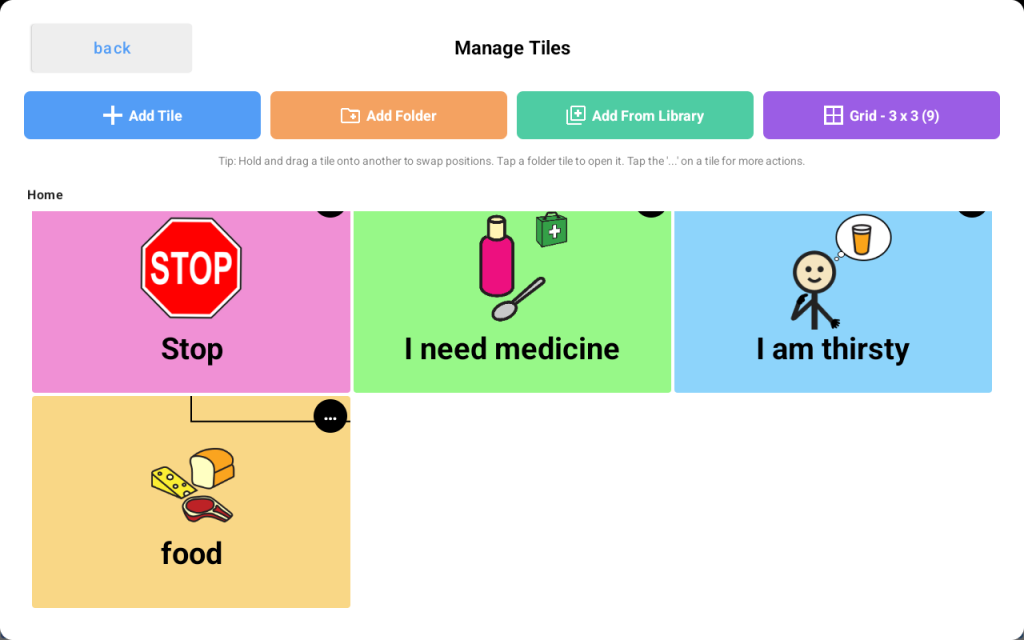
Folders and pages help organize vocabulary into meaningful groups so the learner can find words more easily. They can be used for categories such as Food, People, Feelings, School, or Favorite Activities, and can be customized to match the learner’s daily life.
Use folders to organize related vocabulary #
Folders are helpful when you want to group similar words together or reduce clutter on the main page. For example, you may want separate folders for food, toys, places, routines, or school vocabulary.
Keep important words easy to access #
Not every word should go inside a folder. Words the learner uses often should usually stay on the main page so they can be reached quickly and easily.
Choose clear names and images #
Use simple folder names and clear images that make sense to the learner and the people supporting them. A clear layout makes the device easier to navigate and easier to teach.
Avoid too many layers #
Try not to bury important vocabulary under multiple folders or pages. If it takes too many steps to reach a word, communication can become slower and more frustrating.
Build pages around real life #
Custom folders and pages can be created around the learner’s everyday routines and interests, such as meals, playtime, school, bathroom needs, favorite people, favorite activities, and community outings.
Personalize the device #
Adding familiar and meaningful vocabulary can make the device more useful and more motivating to use. Include words for important people, preferred foods, favorite activities, and common daily needs.
Keep the layout consistent #
Once the learner becomes familiar with where things are, try to keep folders and buttons in consistent locations. Predictability helps the learner find vocabulary faster and use the device with more confidence.
Update over time #
Folders and pages can grow along with the learner. Start simple, then add or adjust vocabulary as needs, routines, and interests change.
Helpful tips #
- Use folders for related words
- Keep commonly used words easy to access
- Use clear names and images
- Avoid too many layers
- Personalize pages for daily life
- Keep layouts consistent over time


