
To edit tiles, including adding, editing, or deleting tiles:
From your home screen, press the “Settings” icon in the top right corner. Then
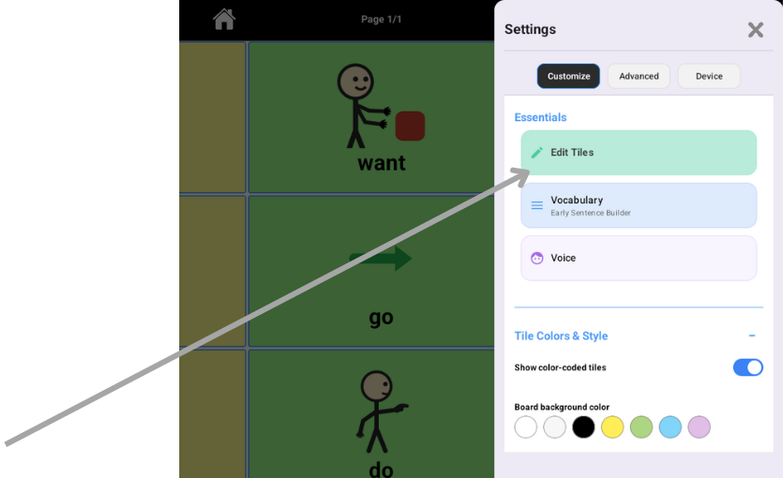
Then, press “Add Tile” to add a new tile, or tap the “…” circle on any tile to edit it.
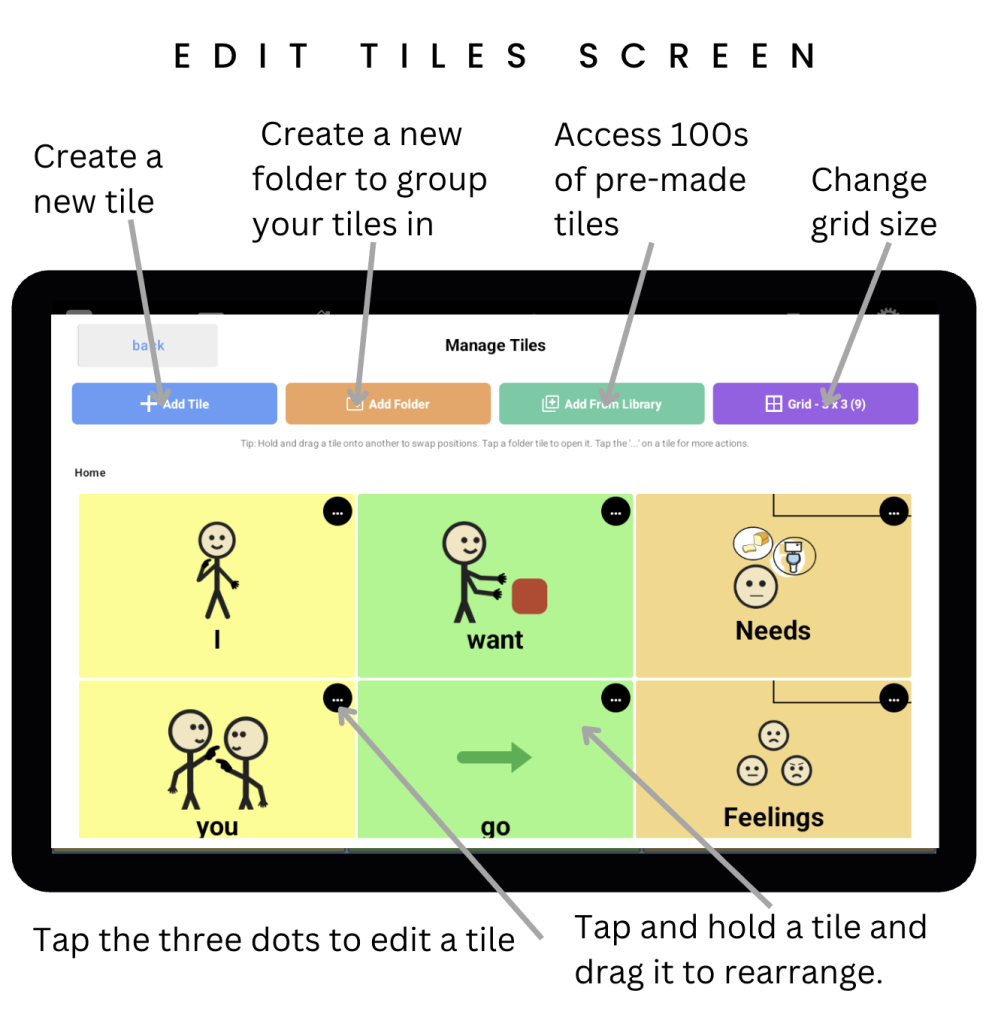
Tap “Add Tile” and you’ll see the screen below:
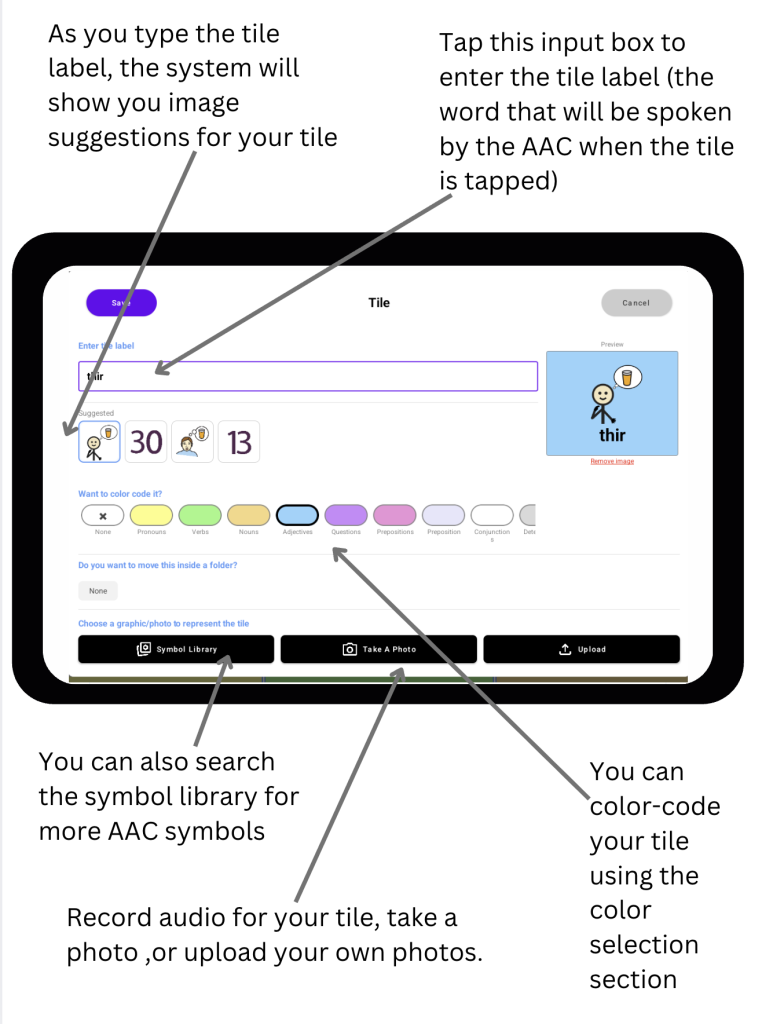
Tap “Save” on the top right when you’re done, and your new tile will be added to your board.


