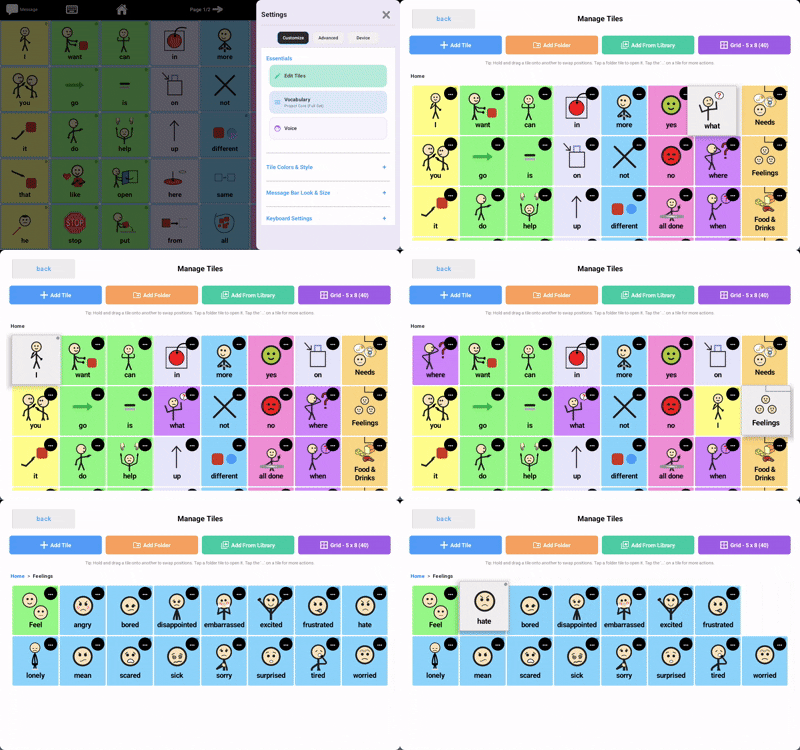
If you want to move button positions or rearrange your learner’s board, follow the following steps:
- Tap the “Settings” button
- Tap the “Edit Tiles” button
- From the “Manage Tiles” screen, press and hold the tile you want to move, and drop it onto the target position.
- That’s it, the board will save your rearranged tiles automatically.
See the gif below for reference: