
For TalkingTiles AAC Generation 6. Interactive videos turn a familiar activity into a chance to communicate. Your child watches a short video, the video pauses, and a highlighted area can speak a word or phrase when tapped.
Who are interactive videos for? #
Start here if your child is new to AAC, or if individual picture symbols are not yet making sense to them. Seeing a real person eating, playing, or brushing their teeth may make the connection between the activity and its words easier to understand. A video of familiar people, places, or routines may be especially meaningful. It can help the idea of “I can tap something to say something” click.
For SLPs: About video VSDs #
Interactive videos use the Video Visual Scene Display (VSD) approach to support communication in context. The video pauses at selected moments, and a person or object in the scene becomes a touchable area that speaks a word or phrase.
These areas are often called VSD hotspots. In TalkingTiles, we call them interactive spots to make the feature easier for parents and caregivers to understand.
Use meaningful scenes to support interaction with a communication partner. Choose messages around the learner’s interests and communication needs, model how to use a spot, and look for communication during the real activity as well as on screen. Individualize the approach with the learner’s SLP.
What happens when you use a video? #
- Tap a video tile to open the video.
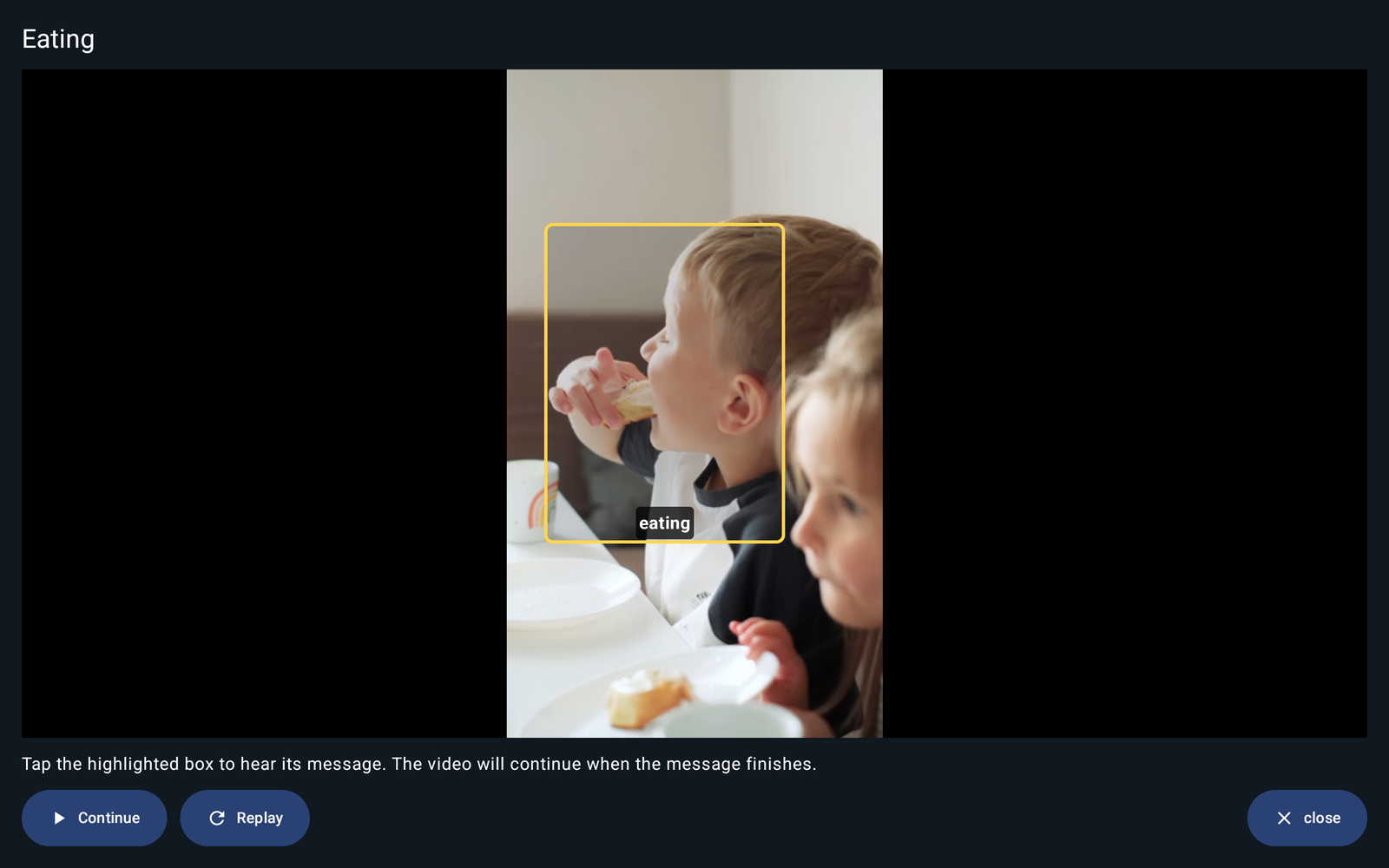
- Watch together. At a moment with an interactive spot, the video pauses and shows a highlighted box.
- Tap the box to hear its word, phrase, or recording.
- After the message finishes, the video continues.
For example, a video pauses while a child is eating. A box around the child can say “eating.” The words are connected directly to the action your child is seeing.
Try the included videos first #
You can explore the feature before recording or uploading anything. Open Settings → Customize → Vocabulary → Basic. Find Interactive Scenes, then choose Visual Scenes for Children New to AAC.
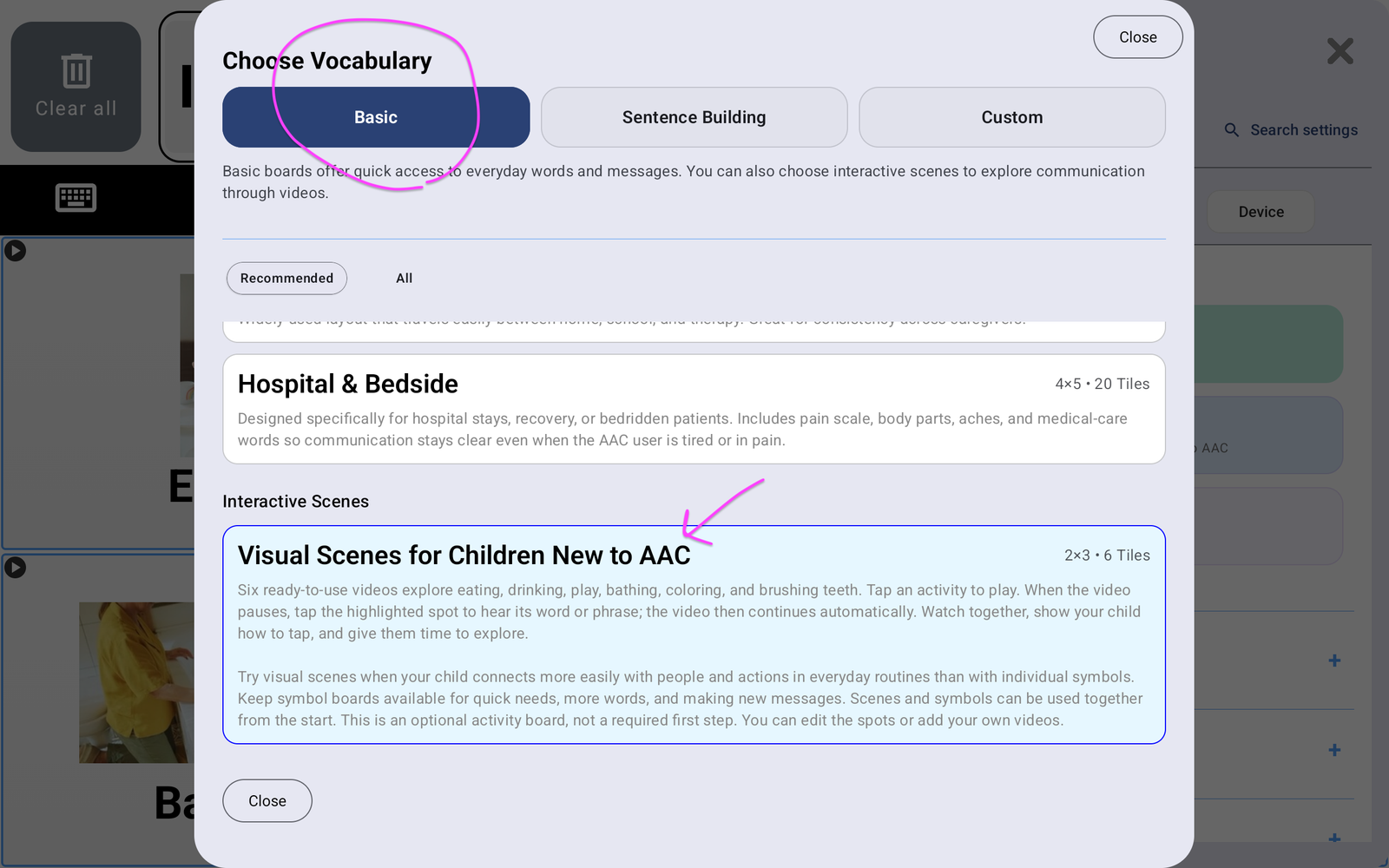
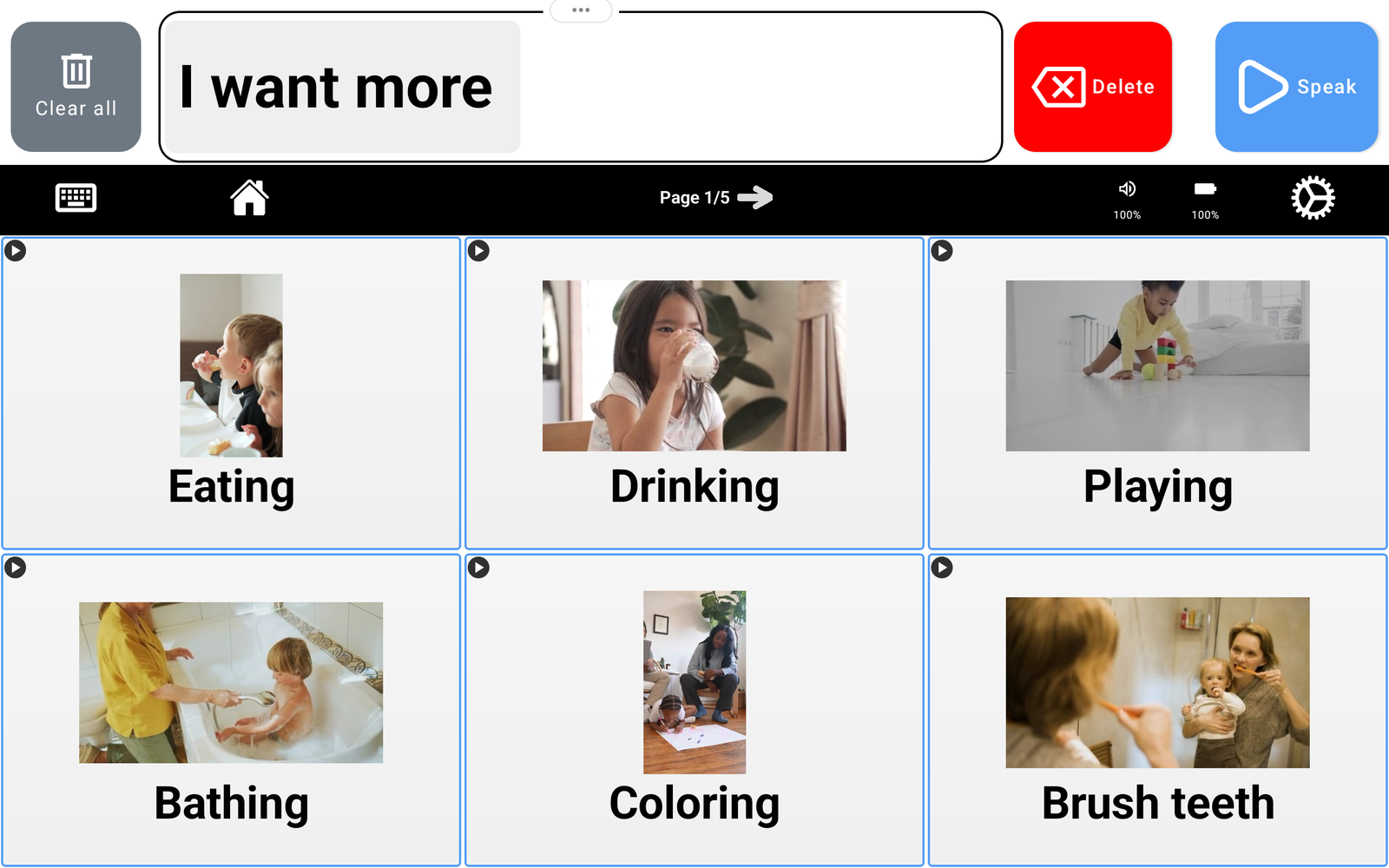
The included scenes cover eating, drinking, playing, bathing, coloring, and brushing teeth. Tap an activity to play its video. Watch together, show your child how to tap the highlighted spot, and allow time to explore.
Make it familiar and keep it simple #
- Choose a short, clear video of an activity your child knows or enjoys.
- Try your own videos of familiar people and places: a family member making a snack, a favorite toy at home, or a familiar playground.
- Begin with one useful spot and a short message. Add more when they are useful.
- Watch and communicate together. Demonstrate a tap, then give your child time without turning every pause into a test.
- Connect the video to the real routine. During snack time, model related words on the symbol board too.
Keep building beyond the video #
A video offers messages tied to a particular scene. Symbol boards let your child use words across many situations and build messages the video does not contain. Keep those boards available from the start, and support keyboard use when it meets their communication needs. The aim is more ways to communicate, with videos helping make the first connections.
The research behind the idea #
VSDs use a photo or video of a meaningful situation to keep vocabulary connected to its context. ASHA notes that visual scenes may be easier for some beginning communicators to learn than grid displays and that AAC has no prerequisite skills. See ASHA’s AAC Practice Portal.
Research has examined video VSDs using child-interest videos with AAC supports to create opportunities for social interaction and communication. These findings support the approach; they are not a guarantee of the same outcome for every child or a validation of this specific device. Read the preschool video VSD study and the evidence synthesis on VSDs with young children.
Explore Interactive Videos #
- What Are Interactive Videos? (you are here)
- How to Add a Video
- What Are Interactive Spots?
- How to Add Interactive Spots


