
For TalkingTiles AAC Generation 6. Connect Bluetooth headphones or a speaker to hear your TalkingTiles messages through that audio device. You will open Bluetooth settings, pair the headphones or speaker, then return to TalkingTiles to test the sound.
Before you start #
- Charge or power on your headphones or speaker and keep it near TalkingTiles.
- Put the audio device in pairing mode using its own instructions. Simply switching it on may not make it discoverable.
- If it is already connected to another phone or tablet, disconnect it there if needed so it can pair with TalkingTiles.
1. Open Connect Bluetooth audio #
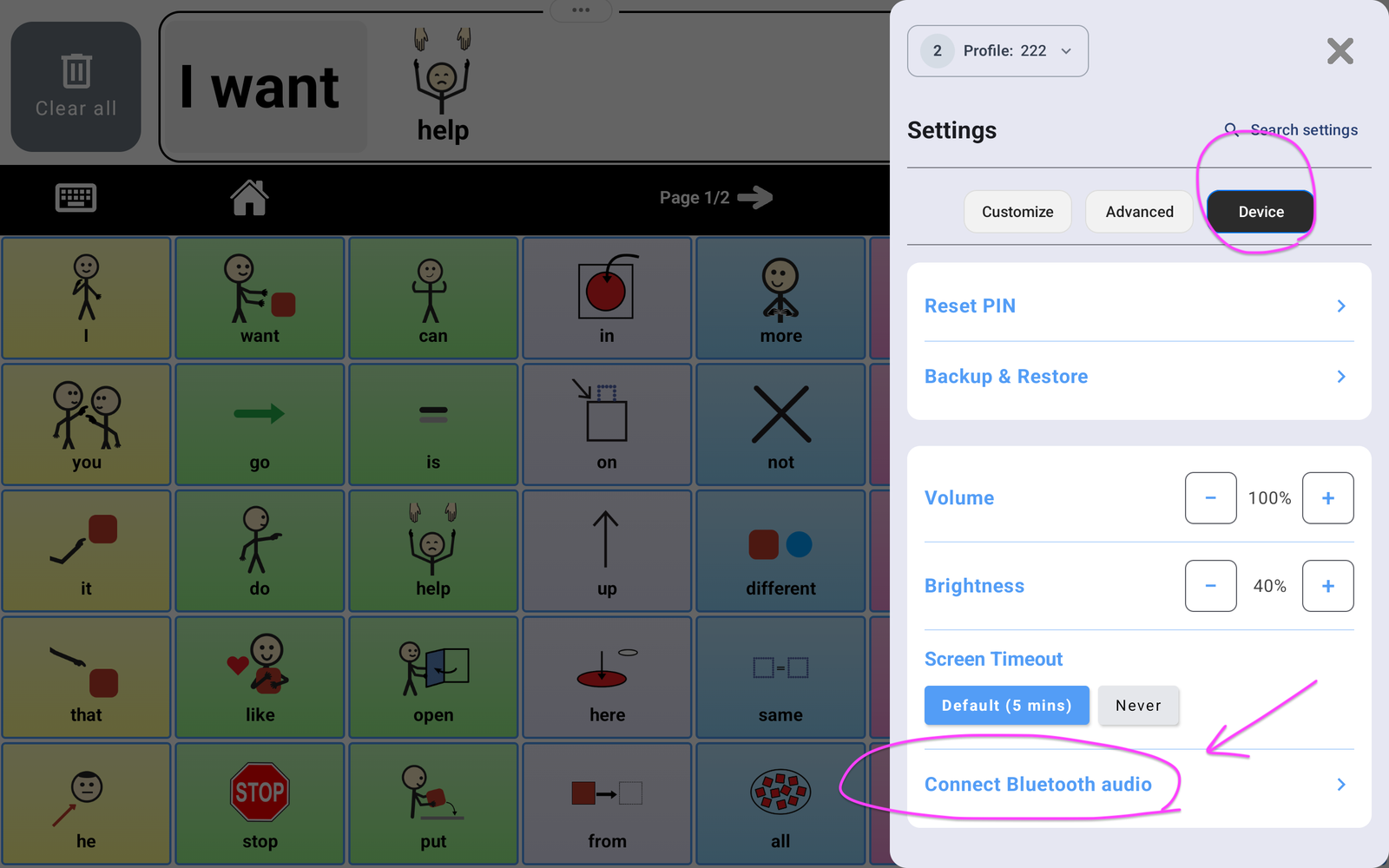
- Tap the Settings gear in TalkingTiles. Enter your caregiver PIN if requested.
- Choose the Device tab.
- Tap Connect Bluetooth audio. This opens the device’s Bluetooth settings.
2. Tap Pair new device #
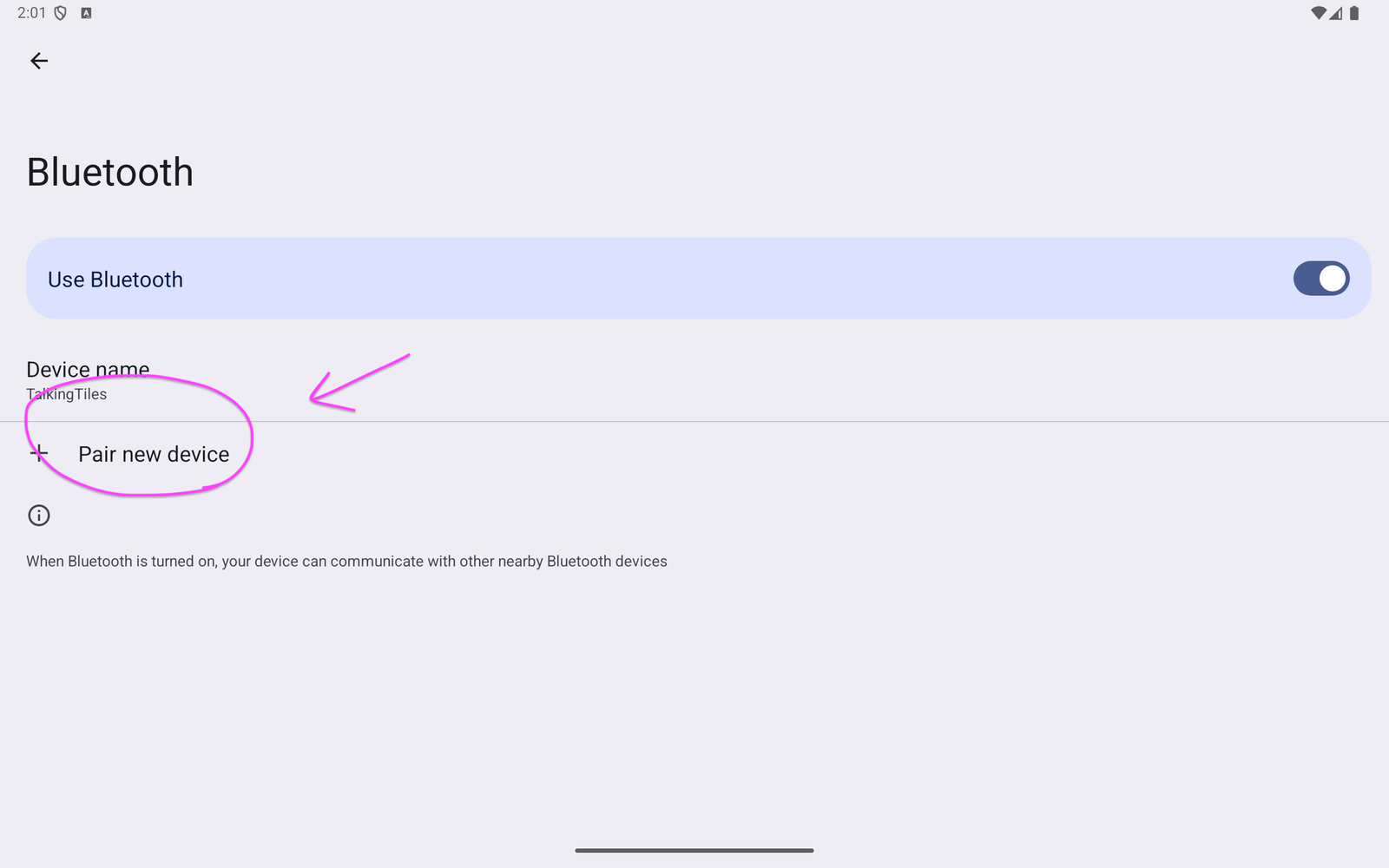
Make sure Use Bluetooth is turned on. Tap Pair new device to look for nearby devices. Keep your headphones or speaker in pairing mode.
3. Select your headphones or speaker #
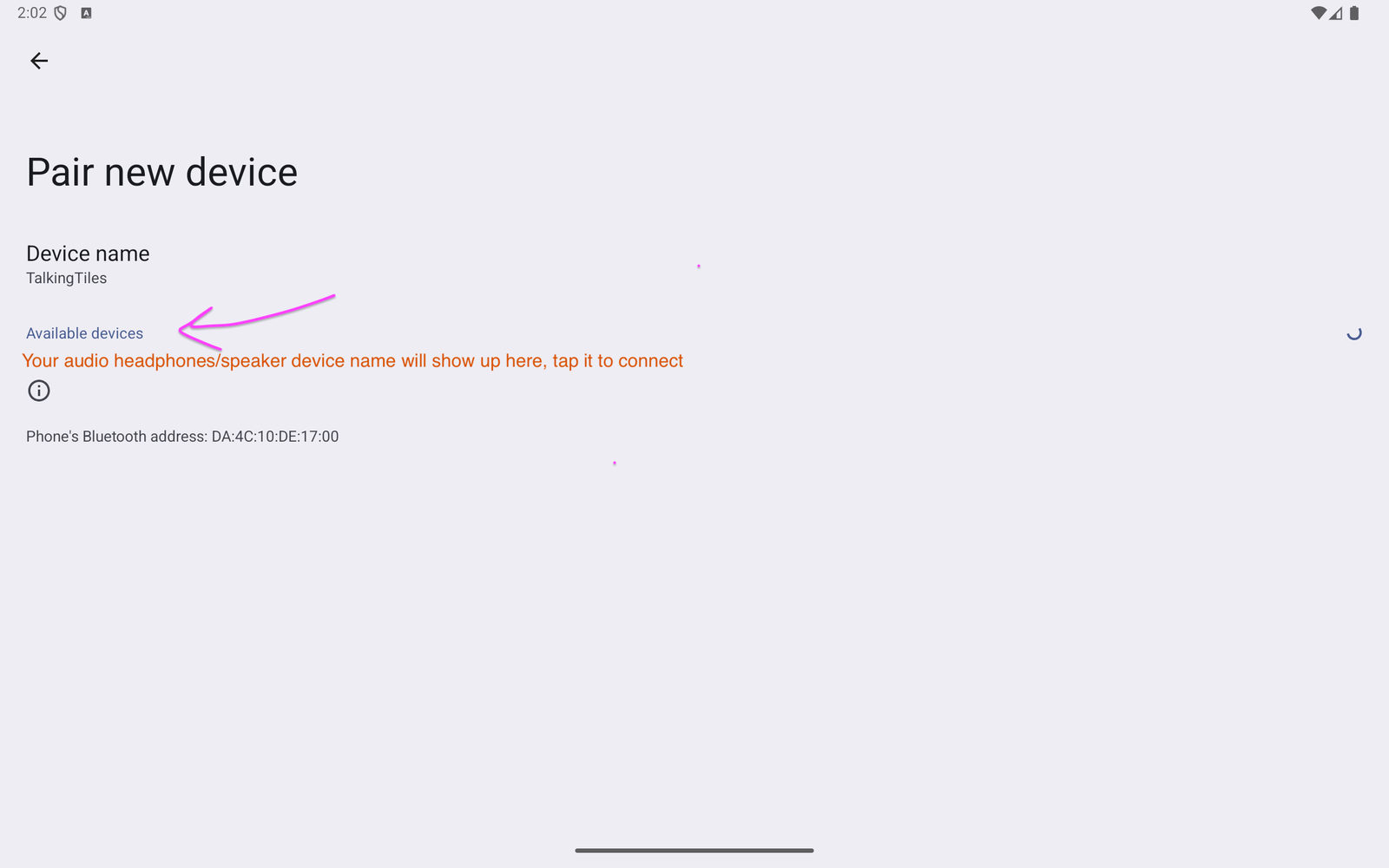
Wait for the name of your headphones or speaker to appear under Available devices, then tap that name. Follow any pairing prompt shown on the screen.
The Device name: TalkingTiles text names your AAC device. Choose your headphones or speaker from the available-device list instead. The screenshot shows where its name will appear.
4. Return to TalkingTiles and test #
- After pairing and connecting, use the Back arrow to return to TalkingTiles.
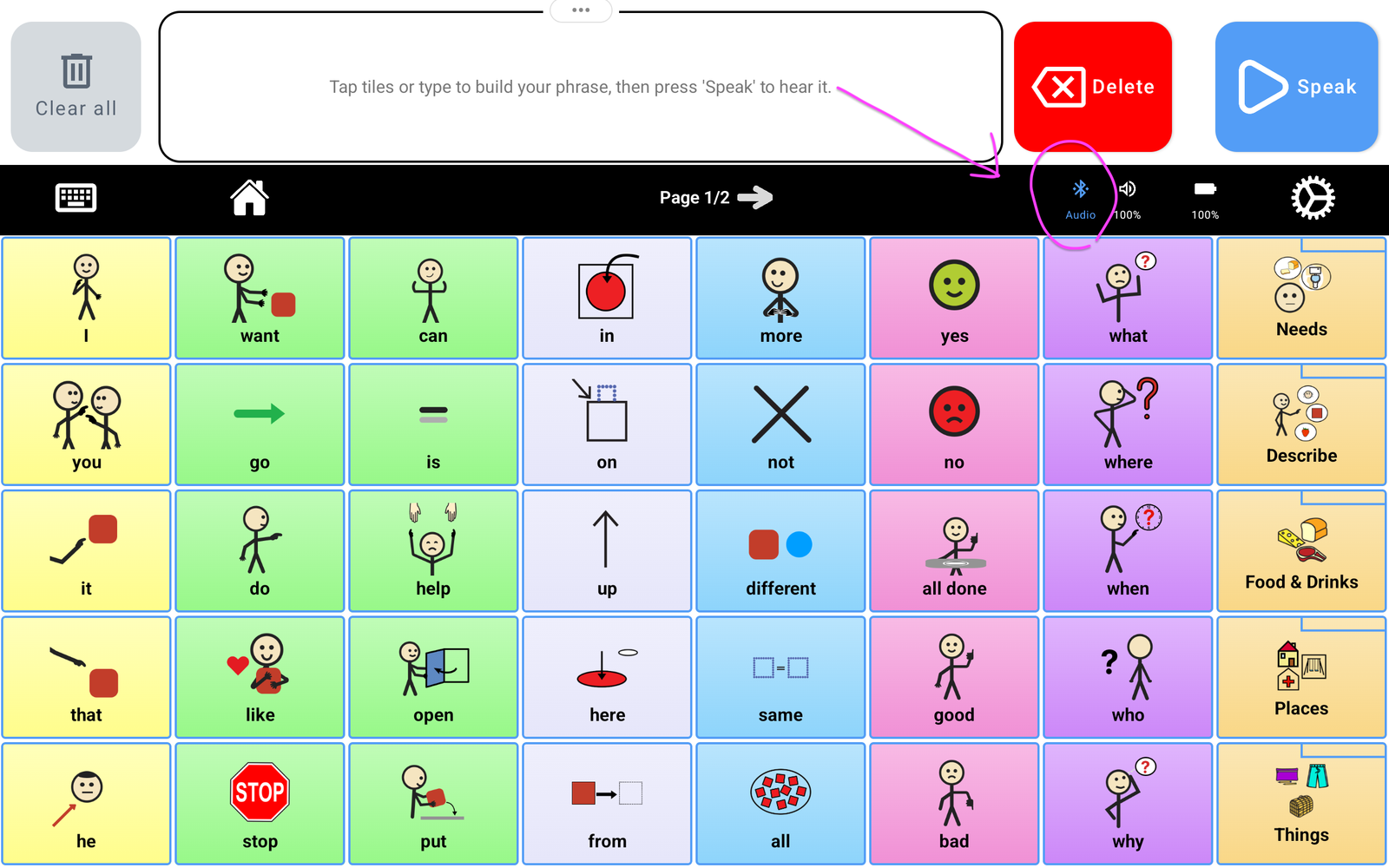
- Look for the blue Bluetooth icon labeled Audio in the top bar.
- Build a short message and tap Speak. Confirm that you hear it through the connected headphones or speaker.
- Adjust the volume on TalkingTiles and the audio device as needed.
If your audio device does not appear #
- Check that it is powered on, charged, and in pairing mode.
- Move it closer to TalkingTiles.
- Check whether it is still connected to another phone or tablet. Disconnect that connection if it is preventing pairing.
- Return to the Bluetooth settings and try Pair new device again.
If it connects but you cannot hear speech #
- Check the volume on both TalkingTiles and your headphones or speaker. In TalkingTiles, use Settings → Device → Volume.
- Make sure the intended audio device is connected, then try a short message with Speak.
- Remember that speech may be going to Bluetooth audio rather than the built-in speaker. Check the headphones or external speaker.
- If needed, turn the audio device off and on, reconnect it in Bluetooth settings, and test again.
Use the built-in speaker again #
Disconnect the headphones or speaker in Bluetooth settings, or switch the audio device off. Return to TalkingTiles and test a message with Speak to confirm sound is coming from the device’s speaker.
For the complete guide, see the Generation 6 Device Manual.


