Table of Contents
Sometimes, you want the tile to speak a long phrase/sentence to save your learner from tapping multiple buttons. To do so, there are two methods:
Method 1: Save the sentence into the tile label: #
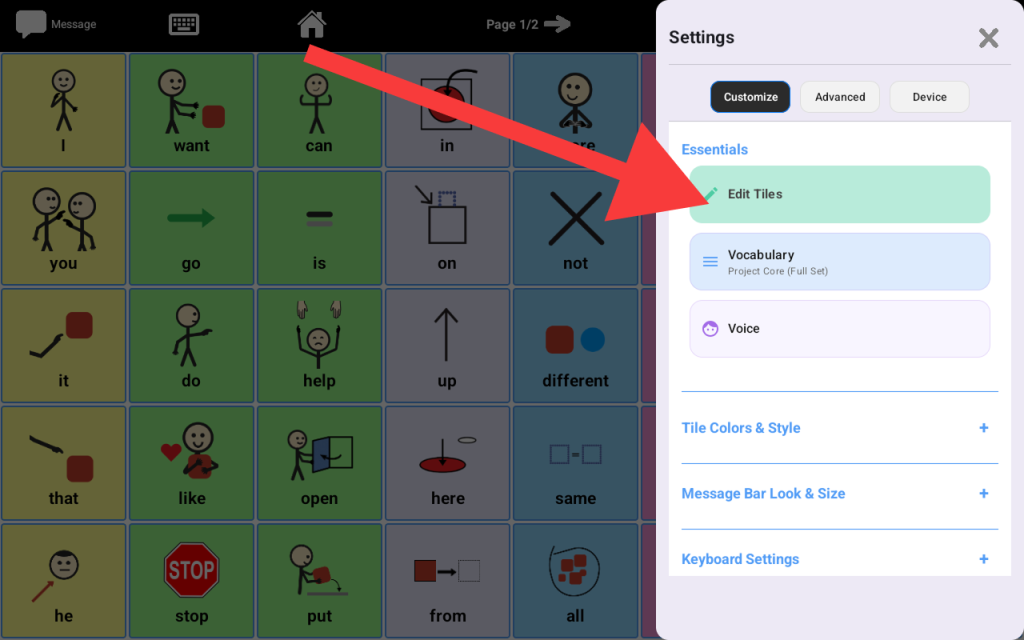
Go to Settings -> Tap Edit Tiles
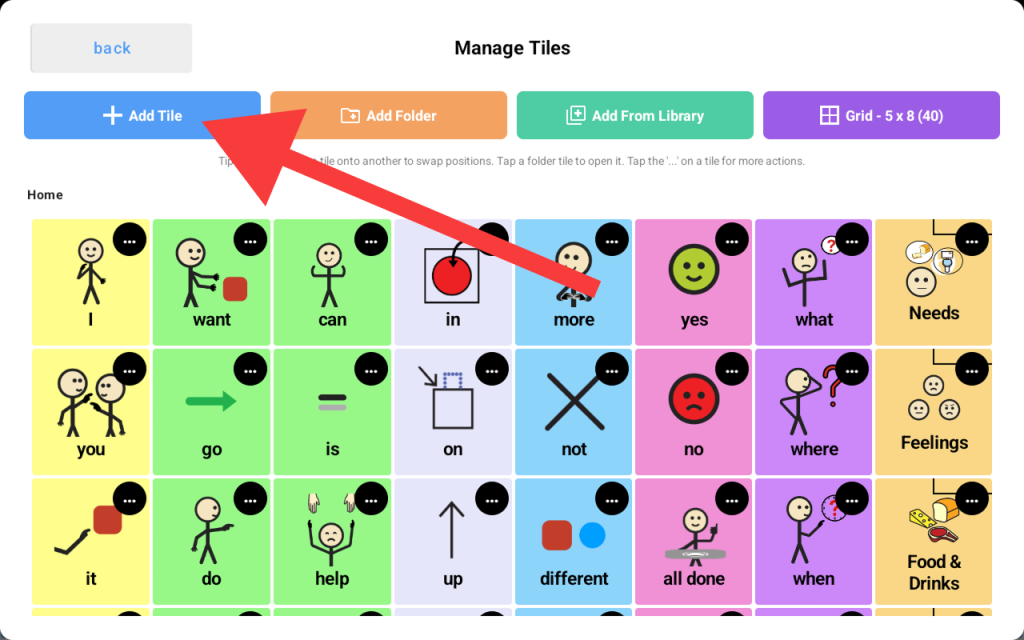
Tap “Add Tile”
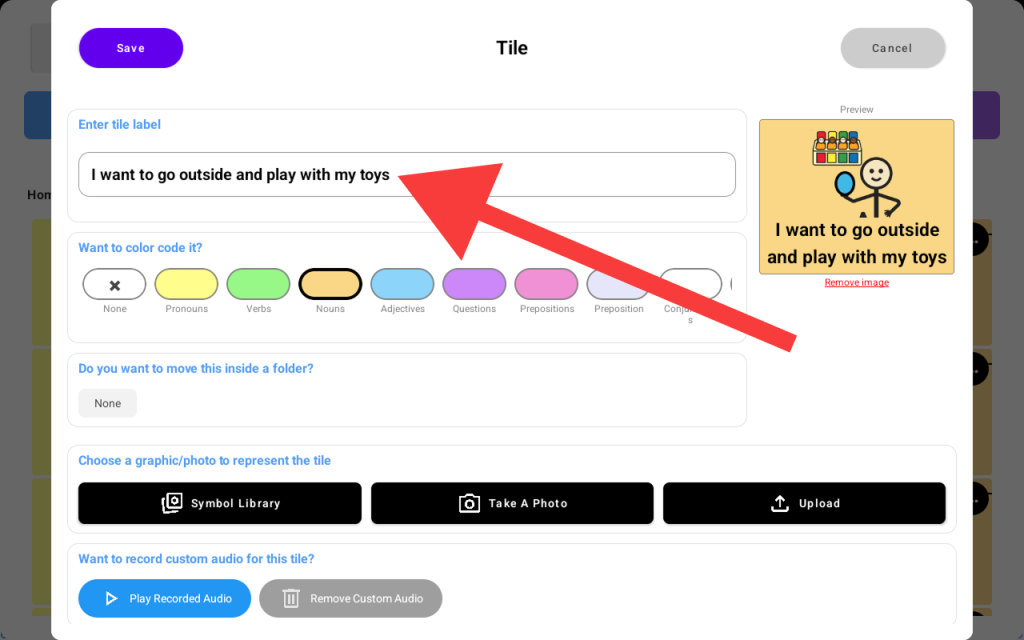
Then type the long sentence into the label input as shown here:
Method 2: You can leave the label short or empty and assign the long sentence to the “Spoken Text.” #
Step 1: Leave the label short
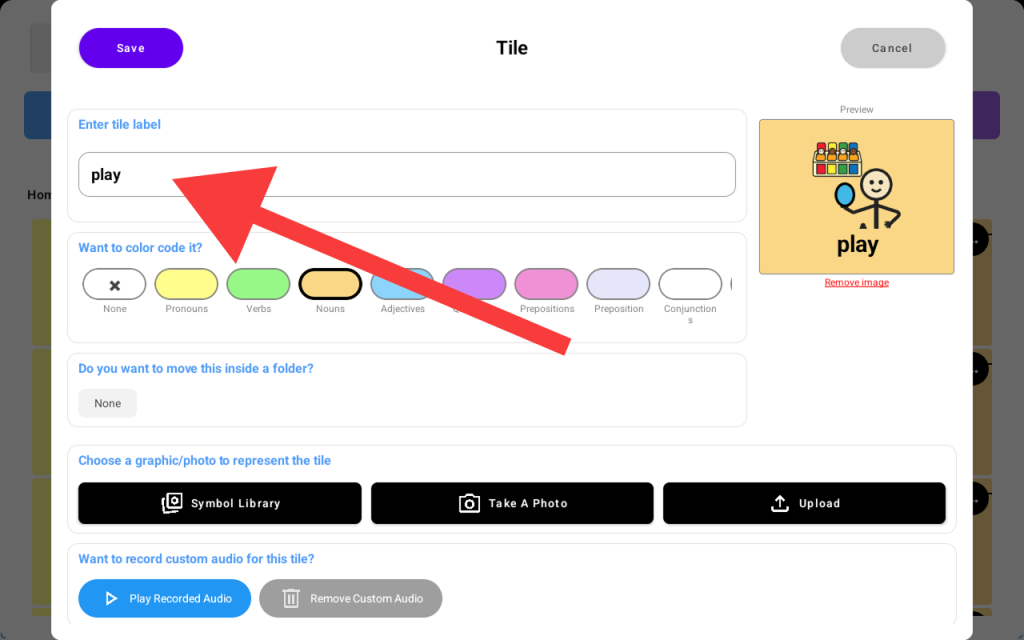
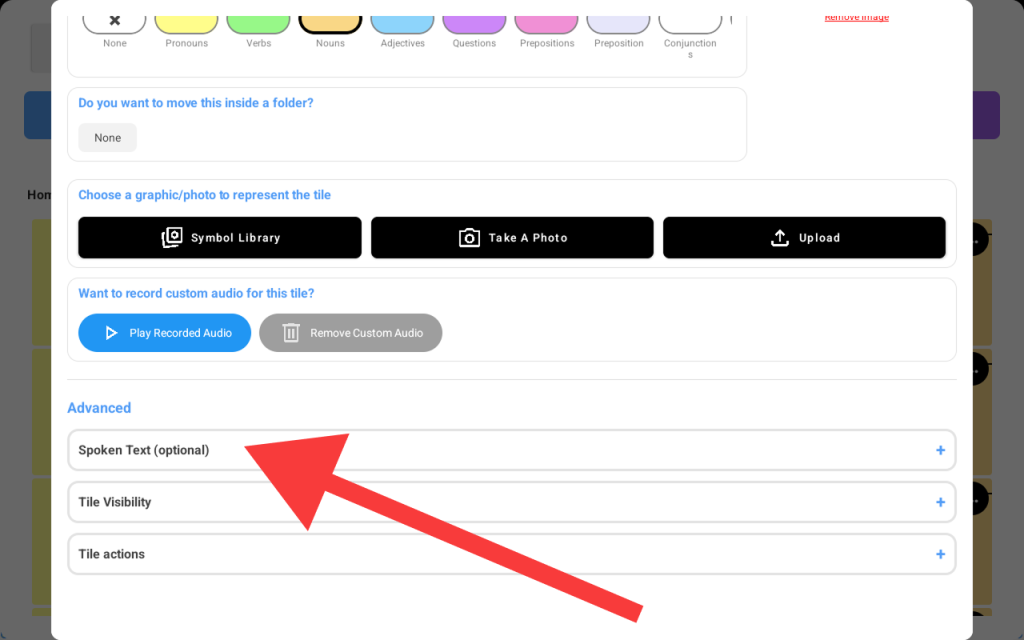
Step 2: scroll down the same screen till you see the “Spoken Text” input, tap the input
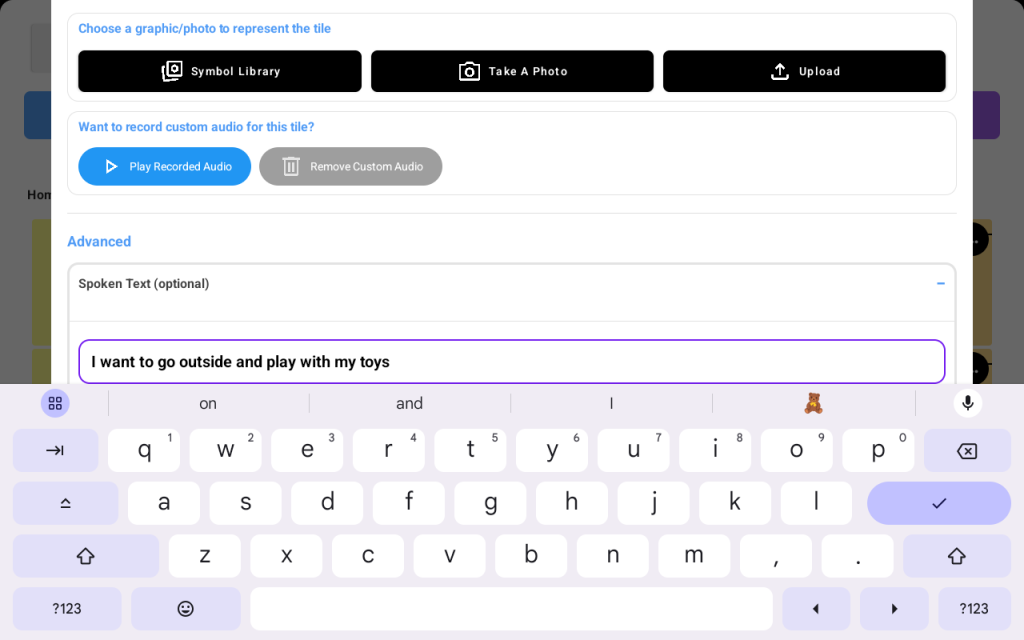
Step 3: Type the long sentence into the “Spoken Text” input box
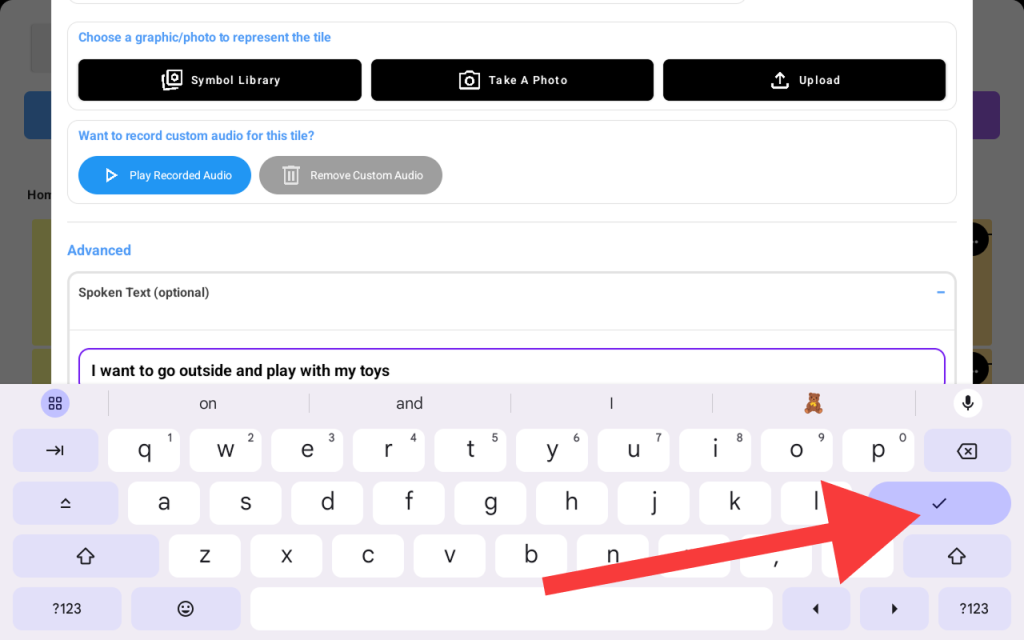
Now tap the “check mark” button on the keyboard
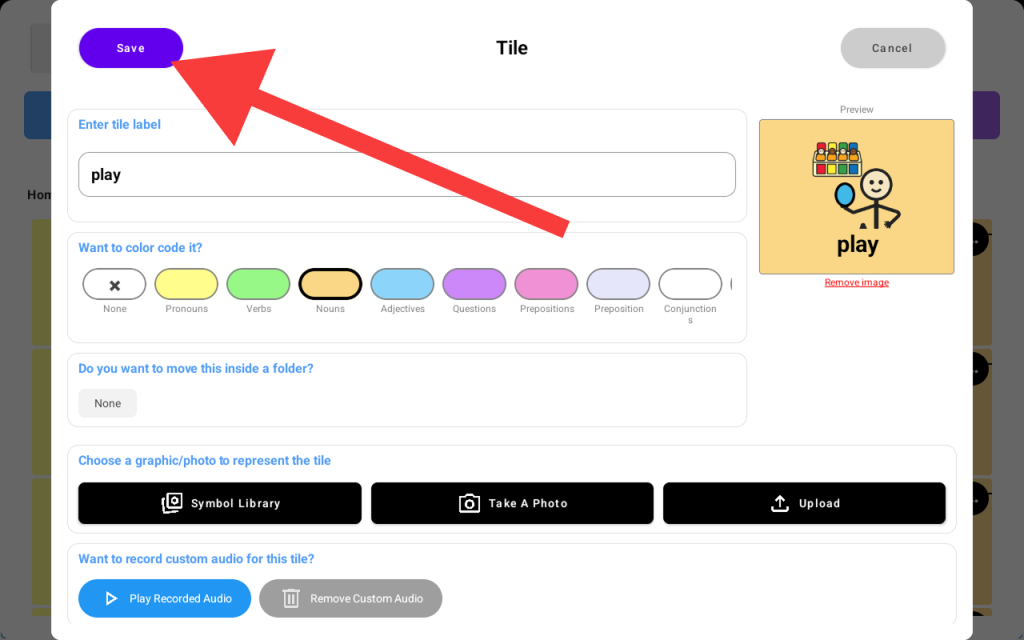
Scroll to the top and hit the save button. Now, when you tap the new tile, it’ll speak the long sentence while having a short label for easy readability.