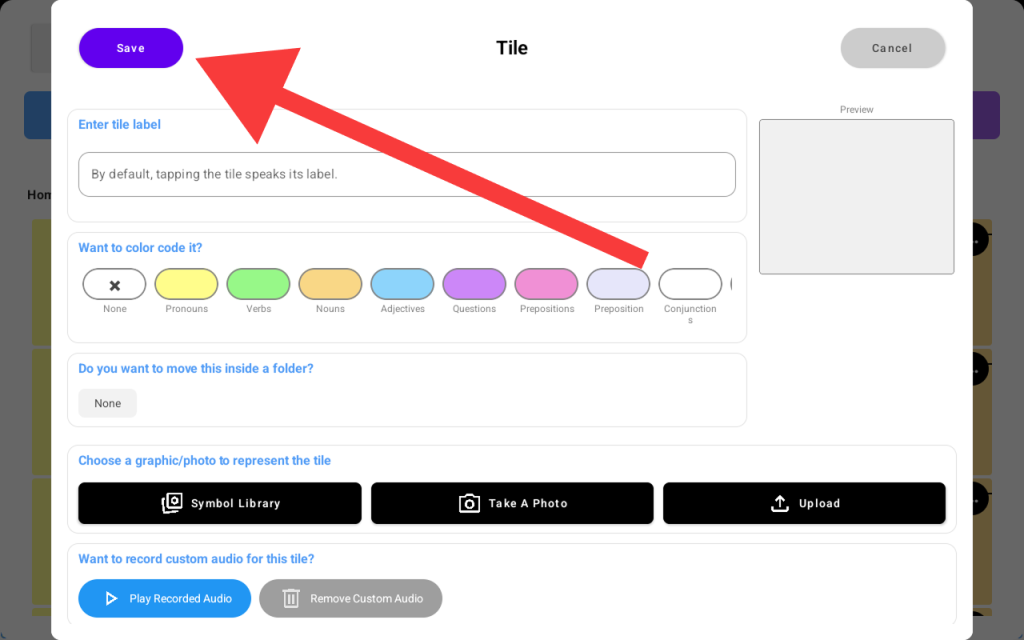
Using TalkingTiles AAC, you can record a custom sound and save it onto the tile so that when your learner taps the tile, it will play the recorded audio.
To do so: Tap the Settings button -> Edit Tiles -> Add Tile
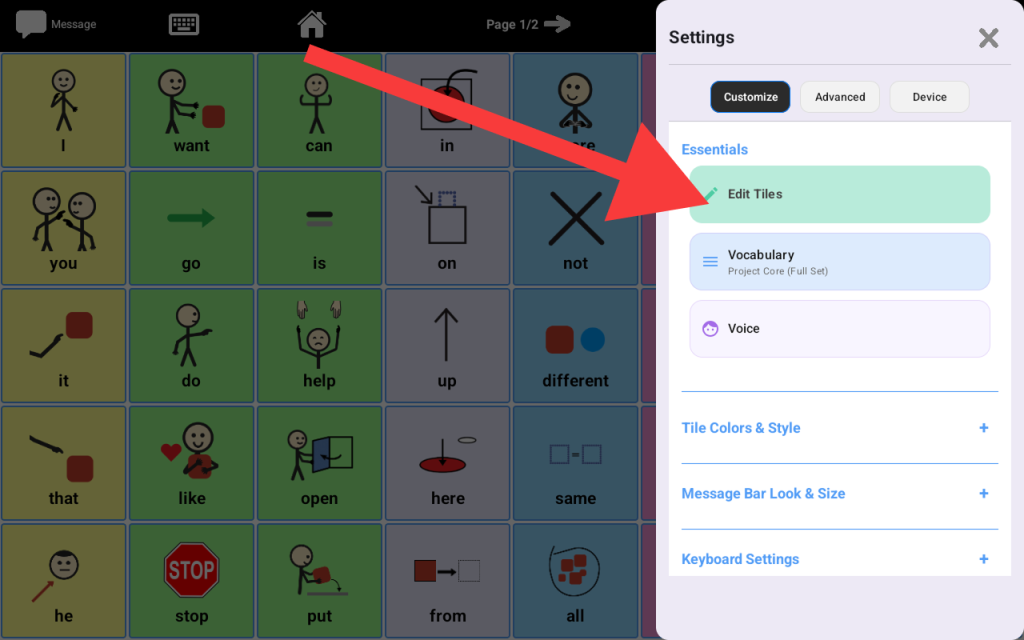
Step 1: Tap “Edit Tiles”
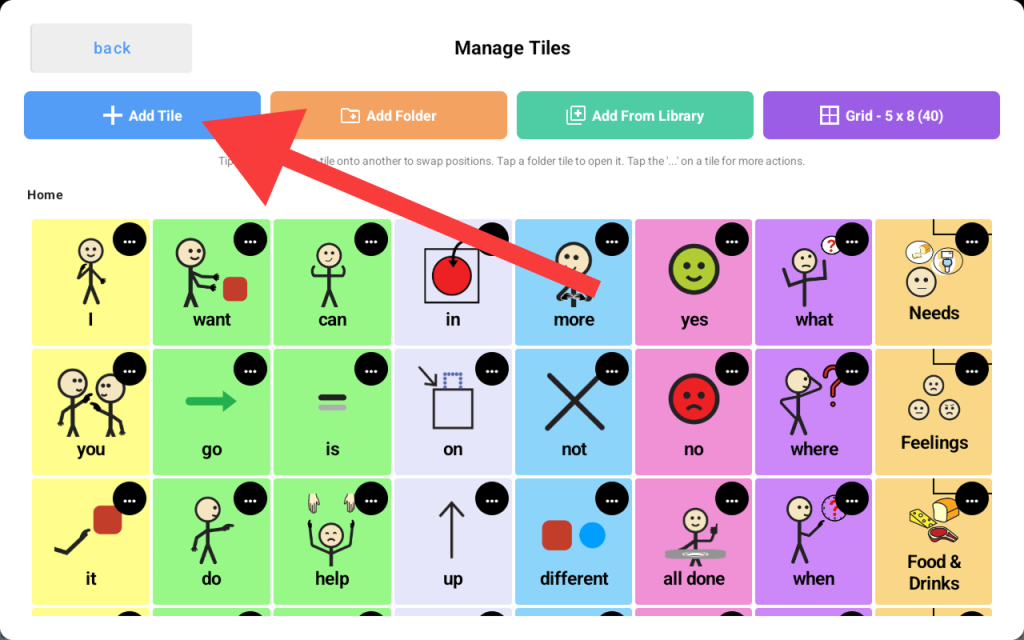
Step 2: Tap “Add Tile”
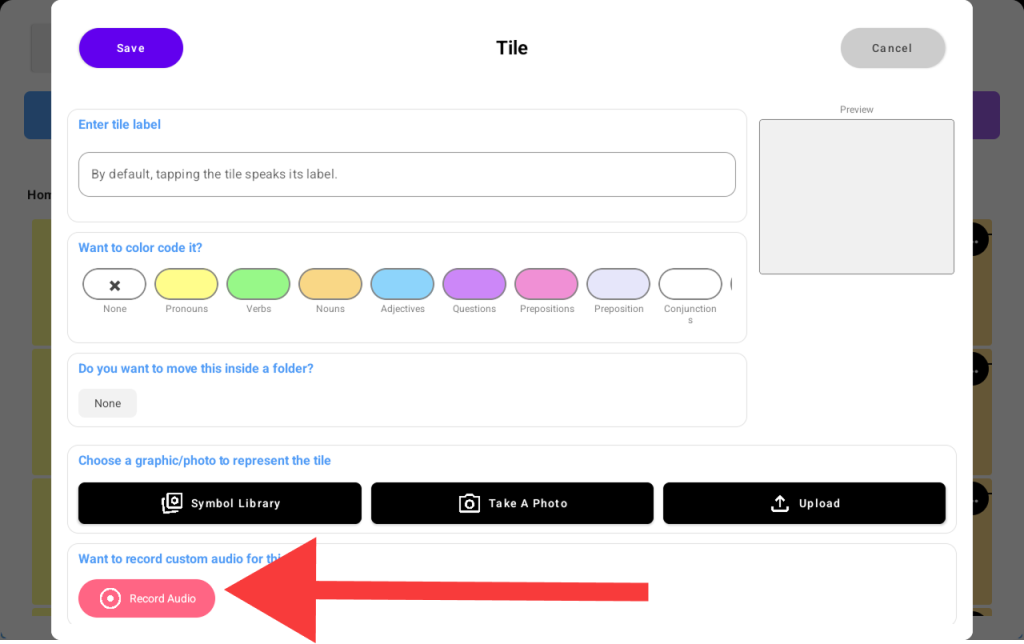
Step 3: Tap “Record Audio”
Step 4: The device will start recording your audio, and the button text changes to “Recording…Tap to Stop”. Tap the same button again to stop recording
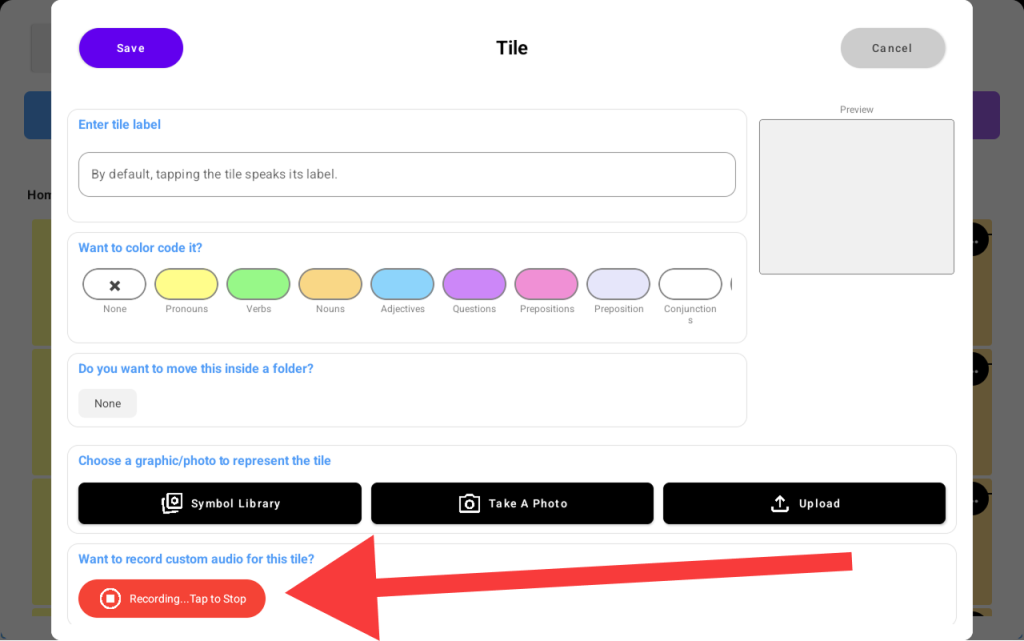
Once you stop the recording, you will see the “Play Recorded Audio” button to listen to what you recorded again. To save your recording, hit the “Save” button at the top left corner.