
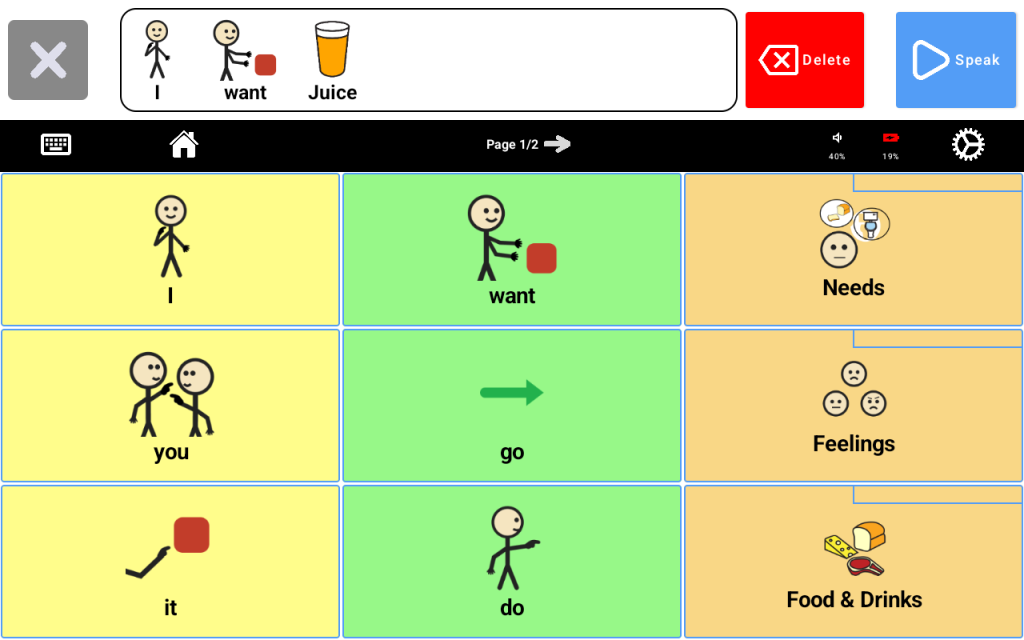
A well-organized vocabulary layout helps the learner find words faster, communicate more easily, and build confidence using the device. You do not need to add everything at once. Start with the words that matter most in everyday life, then build from there over time.
Start with everyday words #
Begin with words the learner needs often throughout the day, such as:
- yes
- no
- more
- help
- stop
- eat
- drink
- bathroom
- go
- want
These high-use words should be easy to find and easy to reach.
Keep important words in consistent places #
Once the learner begins using certain buttons, try to keep them in the same location. Moving words too often can make communication harder. A consistent layout helps the learner build familiarity and find words more quickly.
Group related words together #
Organizing similar vocabulary into clear groups can make the device easier to navigate. For example, you may want folders or sections for:
- food
- people
- feelings
- places
- actions
- school
- home routines
This helps caregivers, teachers, and therapists support the learner more consistently.
Do not hide too many important words #
Folders can be helpful, but commonly used words should usually stay easy to access. If a word is needed often, it should not take too many steps to find it.
Include meaningful personal vocabulary #
The most effective vocabulary is not just functional — it is personal. Add words for favorite people, favorite foods, favorite activities, preferred items, and daily routines. When vocabulary is meaningful, learners are often more motivated to use the device.
Think about real daily situations #
As you build the device, think about the moments when the learner will need it most, such as:
- meals
- playtime
- school activities
- bathroom routines
- bedtime
- social interactions
- requesting help
- talking about favorite things
This can help you prioritize which words to add first.
Keep home and school as consistent as possible #
When a learner uses the device in more than one setting, it helps to keep vocabulary organized in a similar way across home and school. Consistency makes it easier for the learner to use the device with confidence in different environments.
Start simple and grow over time #
You do not need a perfect setup on day one. Start with a simple, useful layout and make changes as you learn what works best. Vocabulary can grow gradually along with the learner’s needs and skills.
Helpful tips #
- Start with high-use everyday words
- Keep button locations consistent
- Group related vocabulary together
- Avoid hiding common words inside too many folders
- Add personal, meaningful vocabulary
- Update the layout as the learner grows


