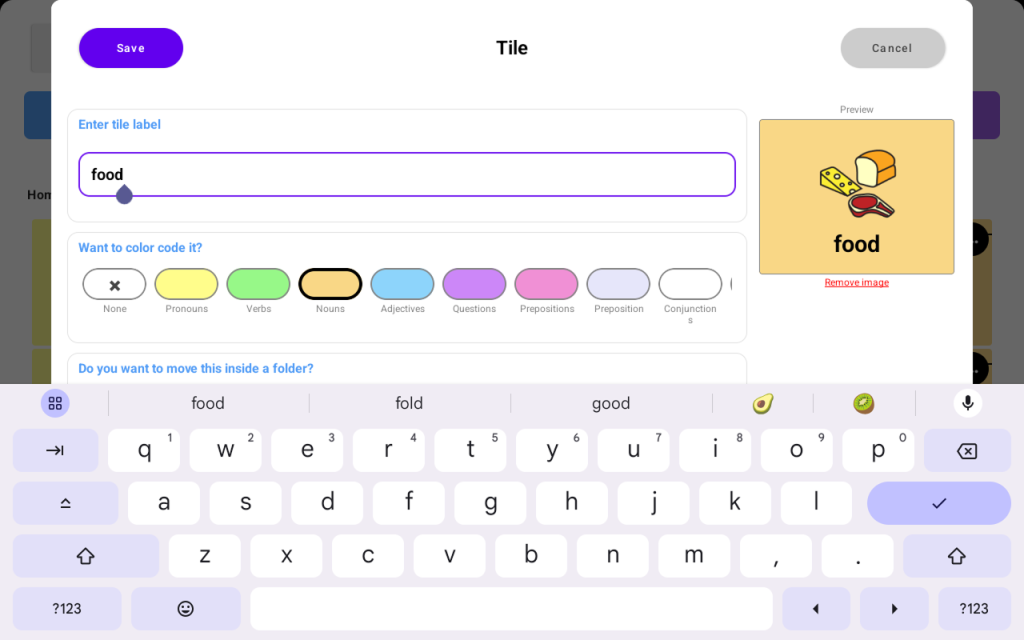
To create a new tile on your TalkingTiles AAC device. follow these steps:
- Click on the “Settings” button from the top bar
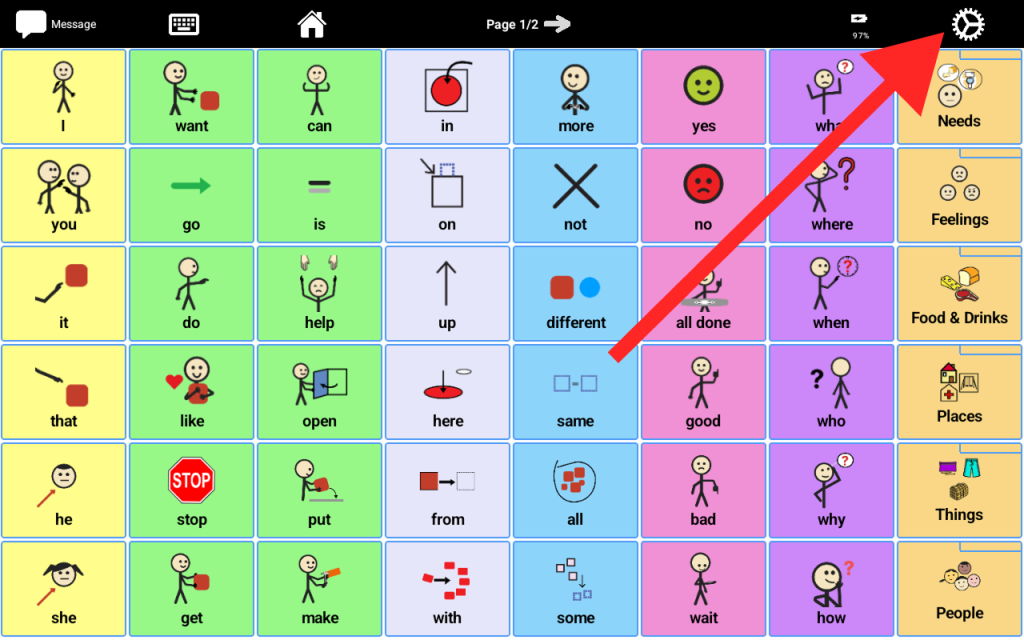
- From the settings menu, click “Edit Tiles.”
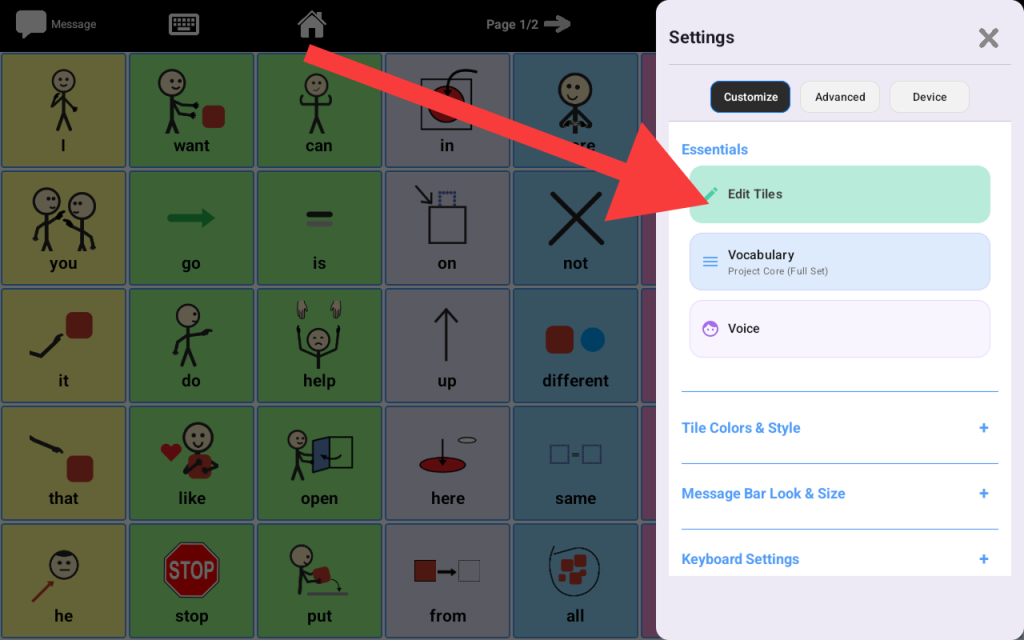
- From the Manage Tiles screen, click “Add Tile.”
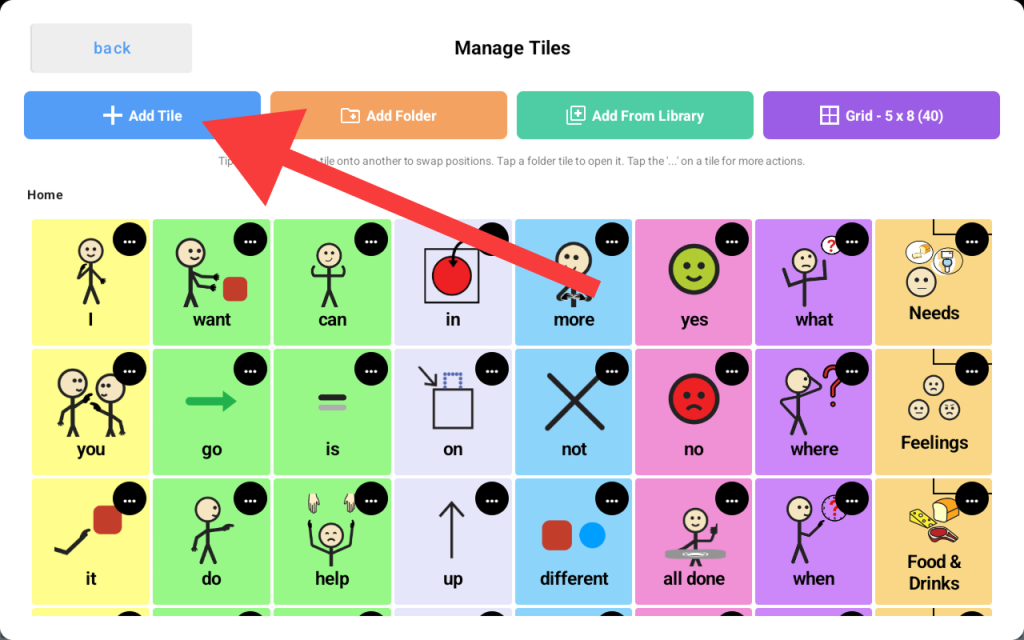
- From the new Screen, enter the tile label (what the AAC will speak when the new tile is tapped). You may also assign a color, symbol, image, or even record a custom audio to be played when the tile is tapped.
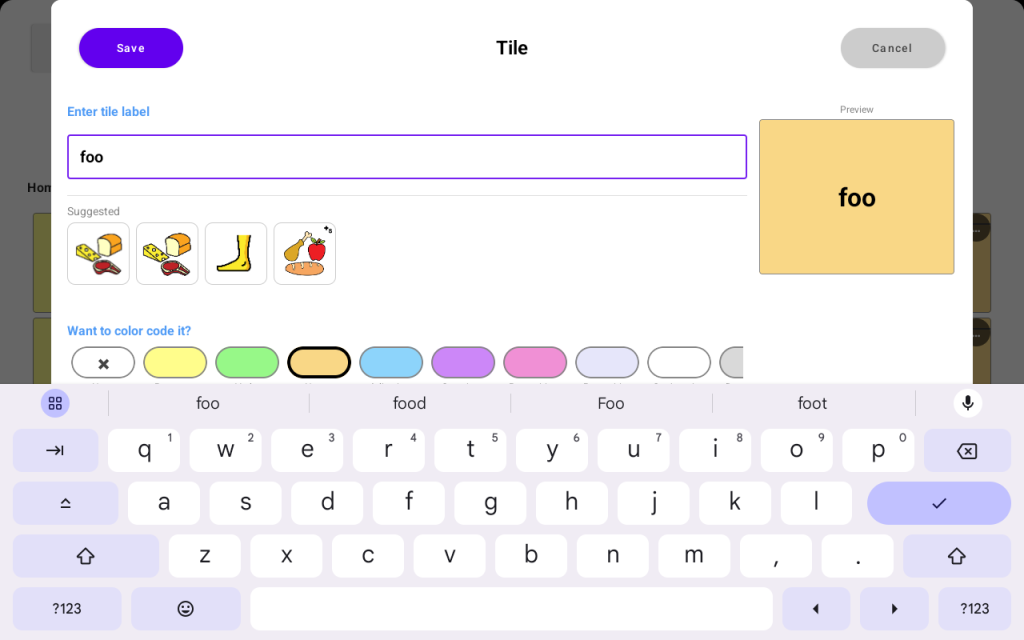
When done, press the “Save” button on the top left to add the new tile to your board.