
• Home
  • Buy Now
  • Why
  • About
  • Research
  • Help Center
  • Home
  • Buy Now
  • Why
  • About
  • Research
  • Help Center
  • Home
  • Buy Now
  • Why
  • About
  • Research
  • Help Center
Buy Now

Getting started

3
  • Quick start guide
  • Device Manual
  • Troubleshooting

Customization guides

6
  • Editing buttons/tiles
  • Organizing vocabulary
  • Customizing Folders and Pages
  • Accessibility settings
  • Backup & Restore
  • Setting Up for a Specific Learner

For SLPs & School Staff

5
  • Implementation Guide for SLPs and School Teams
  • Classroom Setup Tips
  • Modeling Tips
  • Vocabulary Consistency Tips
  • Caregiver/Staff Handoff Sheet

Best-practice setup examples

4
  • Recommended Starter Boards
  • School-Aged Student Setup Examples
  • How to Keep Vocabulary Consistent Between Home and School
  • How to Train Paraprofessionals, Teachers, and Family Members
View Categories

Editing buttons/tiles

< 1 min read

To edit tiles, including adding, editing, or deleting tiles:

From your home screen, press the “Settings” icon in the top right corner. Then
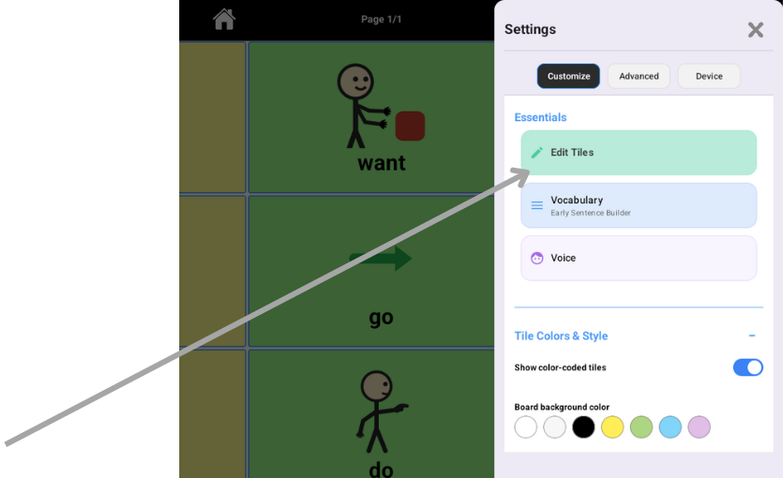
Then, press “Add Tile” to add a new tile, or tap the “…” circle on any tile to edit it.
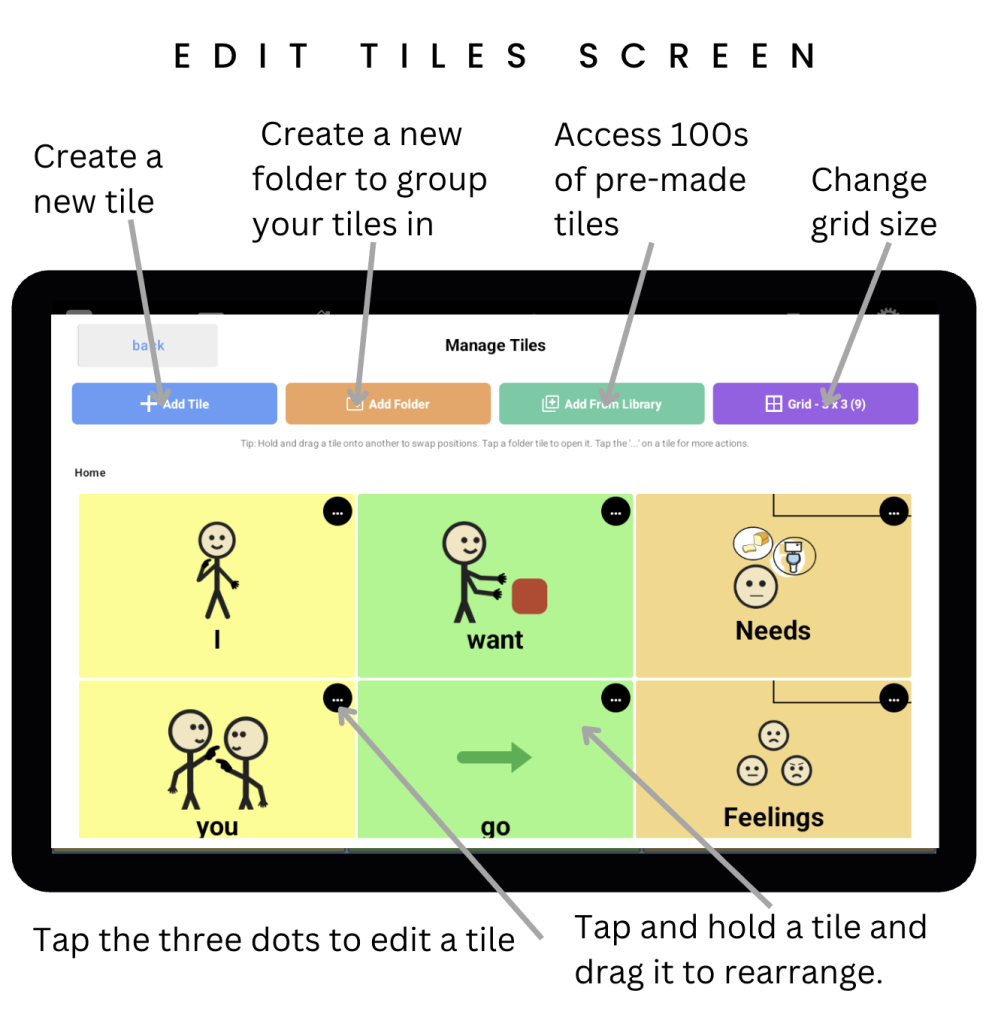
Tap “Add Tile” and you’ll see the screen below:
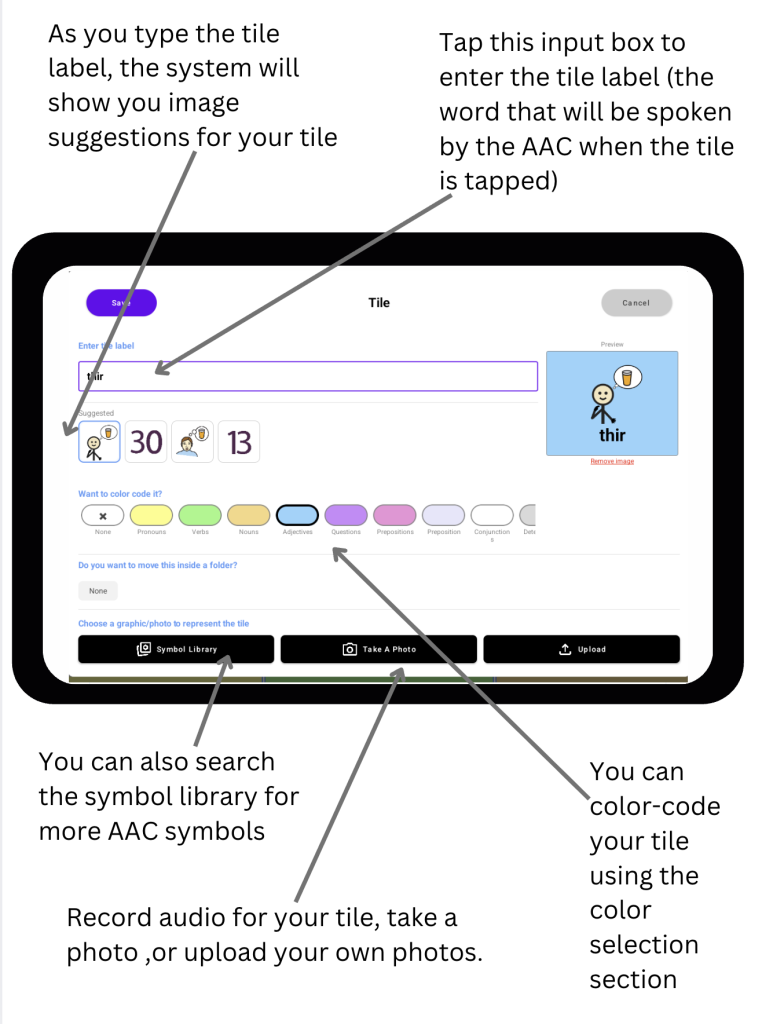
Tap “Save” on the top right when you’re done, and your new tile will be added to your board.

Share This Article :

  • Facebook
  • X
  • LinkedIn
  • Pinterest

Start Communicating Today

Get Your AAC Now

Contact us

support@talking-tiles.com

  • Home
  • Buy Now
  • Why
  • About
  • Research
  • Help Center

Copyright © 2025 TalkingTiles AAC

Meet TalkingTiles: an Augmentative and Alternative Communication (AAC) tablet designed to help children with speech and communication challenges express themselves.

Facebook-f Tiktok Youtube