
Using TalkingTiles AAC, you are able to assign a symbol, take a photo of a familiar object/place with the device camera, or even upload images from your phone onto the device.
- Assigning a research-based AAC symbol to your tile:
- The easiest way to assign a symbol to your tile is to choose from the suggestions row that appears as you are typing up the tile’s label.
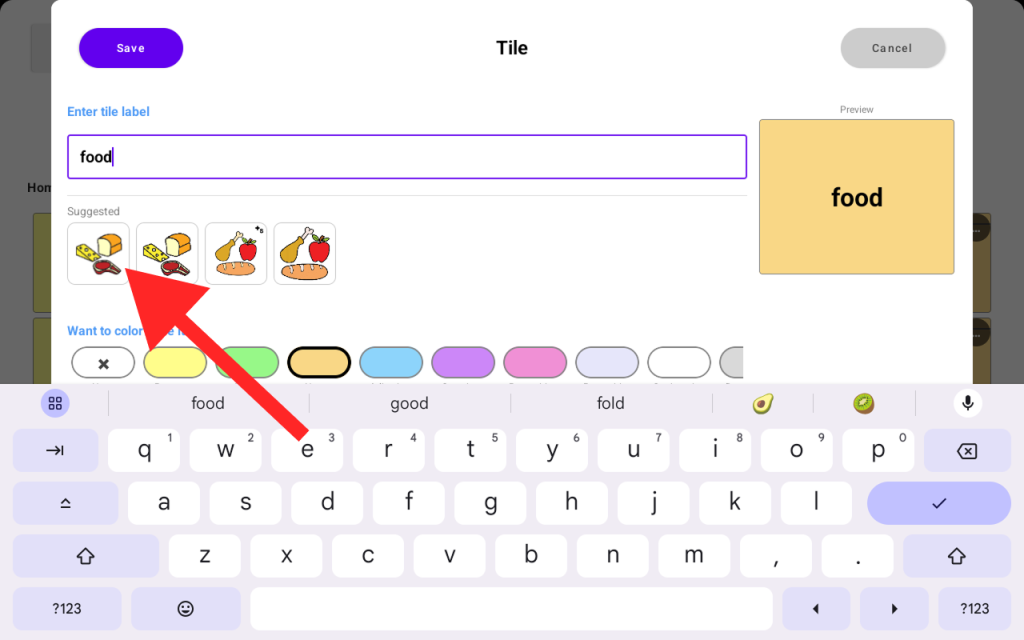
- If you want more suggestions and symbols. Tap on the “Symbol Library” button from the same “Create Tile” screen.
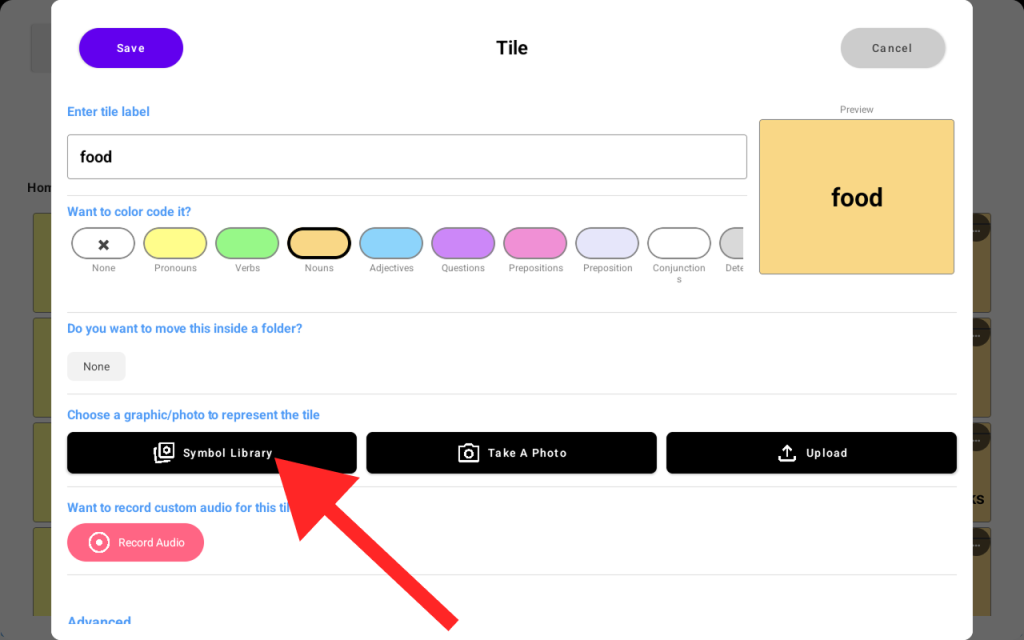
- You can also take a picture of an object or place familiar to your loved one and assign it to a tile. To do so, just tap the “Take A Photo” button from the same screen, and you’ll be presented with the device Camera window to take a picture.
- You may also upload your own images from your phone directly onto the device. See the “How to Upload Custom Images to Your AAC” page under /help.


