
TalkingTiles comes with a “Search & Coach” function, which allows you to search for a certain tile to bring up the coaching guide that will showcase the steps required to find a certain button on your AAC board.
Sometimes, repetition is needed to show your learner the steps required to find and tap on the needed vocabulary/tile in your TalkingTiles AAC board.
For example, using the “Sentence Building” mode in your AAC, if you want to coach your child on finding that tile by navigating into folders and showcasing it multiple times might be necessary for their motor planning and future autonomy in selecting that tile.
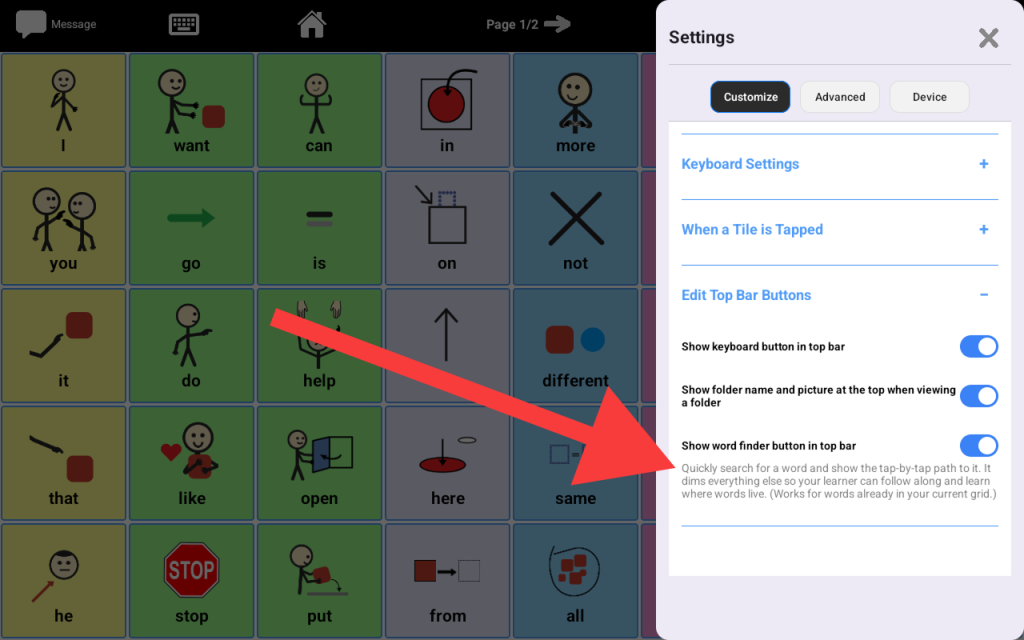
To enable the “Search & Coach” function:
- Tap the “Settings” button in the top right corner of your home screen.
- While the “Settings” tab is selected, scroll all the way down to the “Navigation” section
- Toggle the “Show Search & Coach” button on
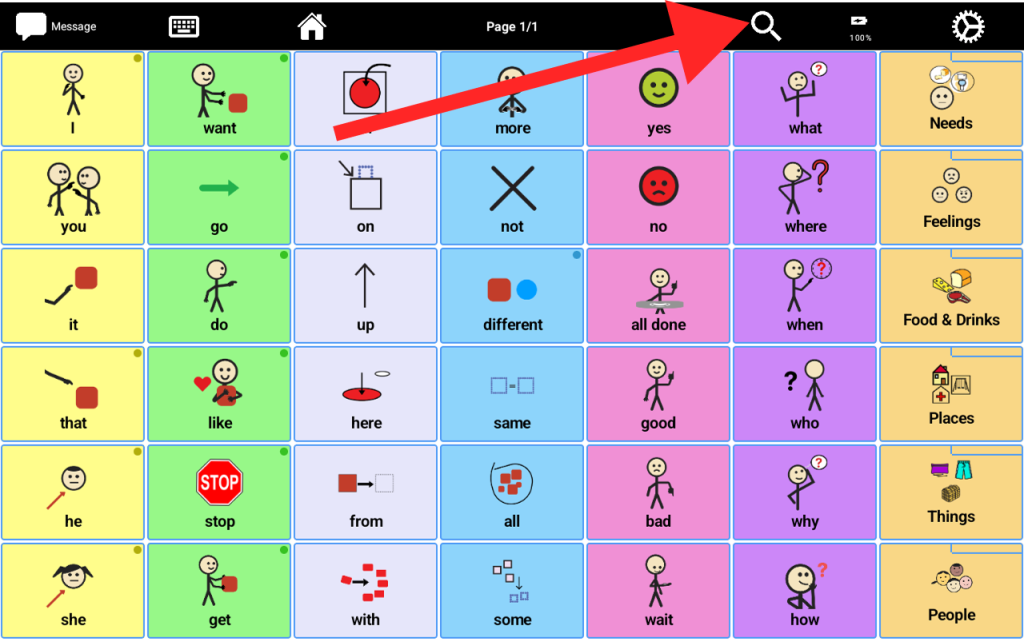
- Close out of the settings, in your home screen’s top navigation bar, you will see a new “search” button on top
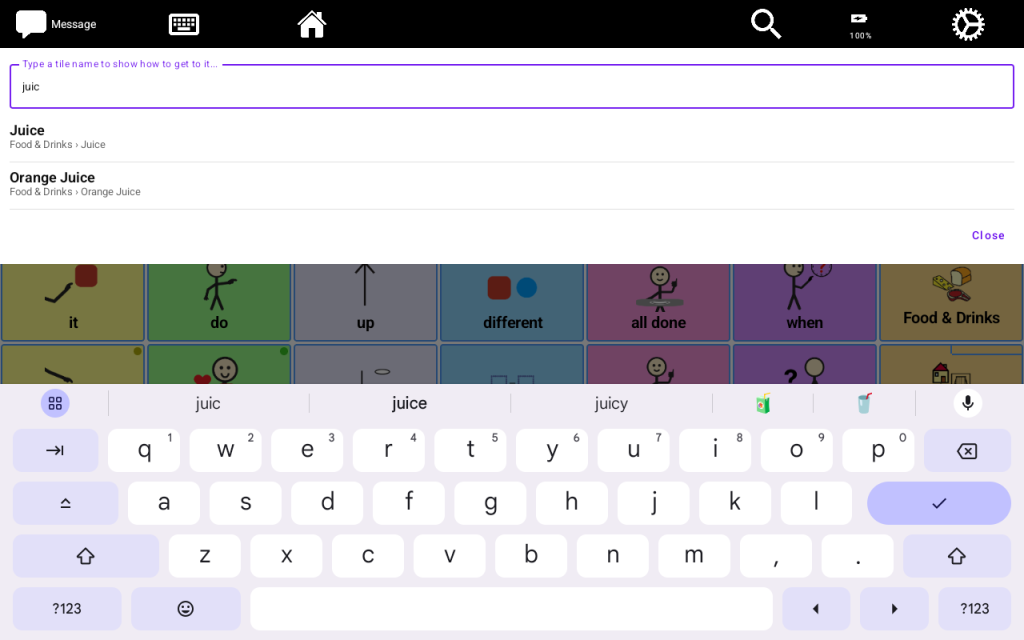
- To demonstrate, the following shows what happens when you tap on the button and search for the “juice” tile
- Once you select the first “Juice” row, the screen will dim out all of the other tiles except the tiles/steps required for your learner to follow. In this case, the “Food & Drinks” folder will still be lit.
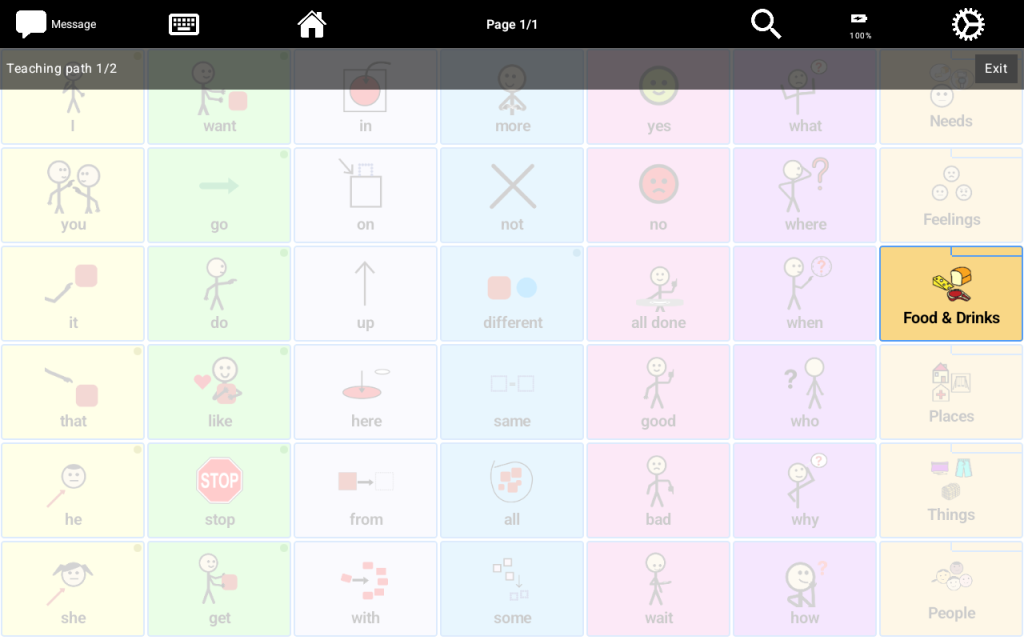
- Once you direct your learner to tap the “Food & Drinks”, the next screen will direct your learner to swipe to the left
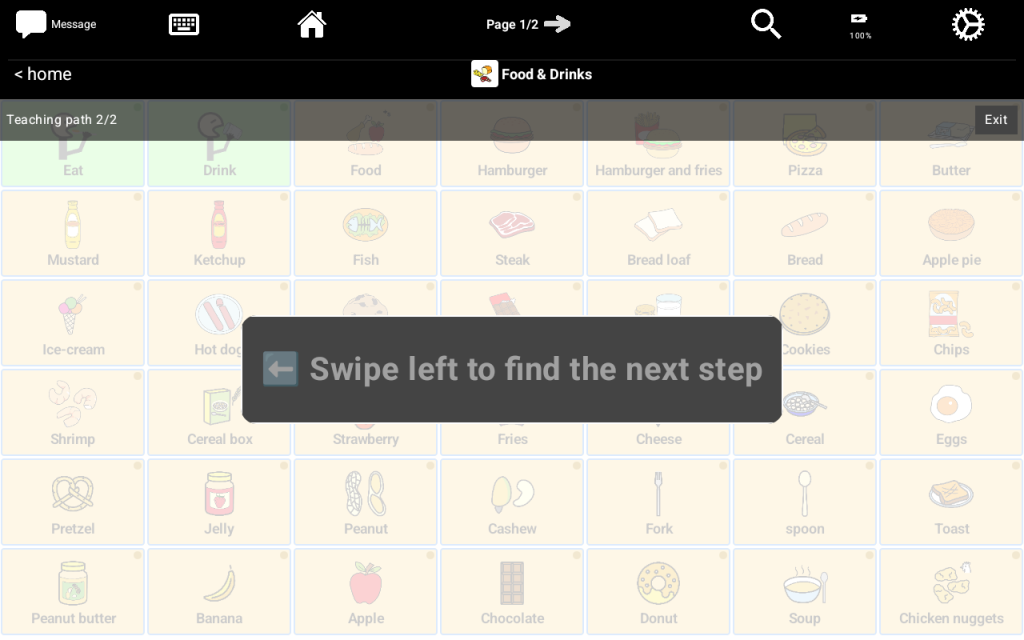
- Once your learner swips to the left, the system will light up the “Juice” button for your learner to tap.
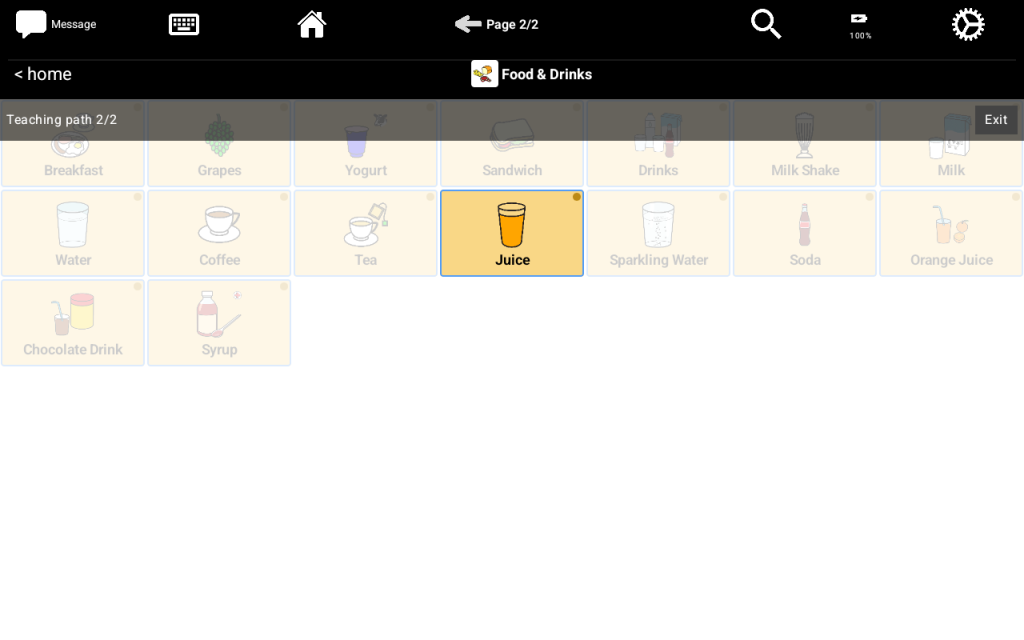
- With repetition, using the “Search & Coach”, your learner will start to gain the motor planning to find the “Juice” tile on their own.


