
To preserve motor planning, sometimes you want to choose the perfect grid size for your learner, but in the same token, not overwhelm them with too many buttons from the start. To do so, you can set the grid size, then adjust some tiles your learner will need in the future but not now to “hidden”.
To adjust a tile’s visibility to “hidden”
- Tap the “Settings” button
- Tap “Edit Tiles”
- On the tile you want to hide, tap the “..” button
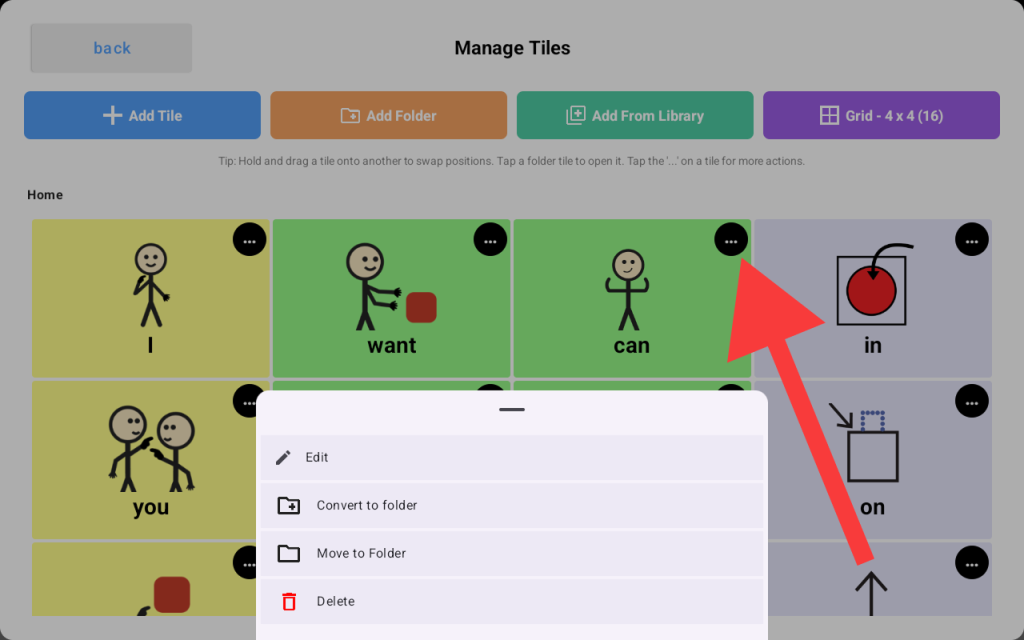
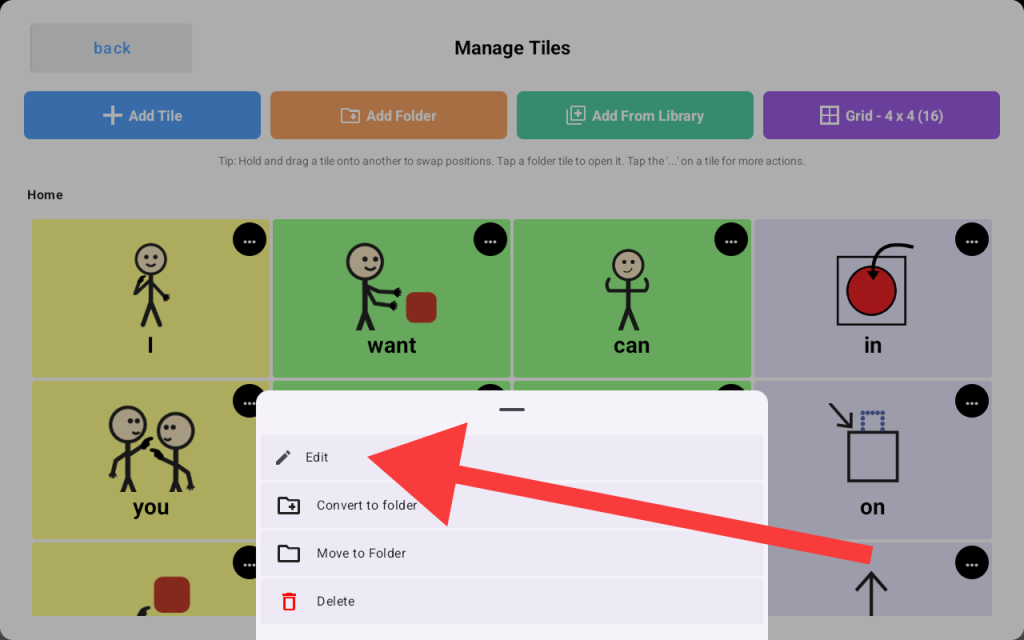
Then Choose “Edit”
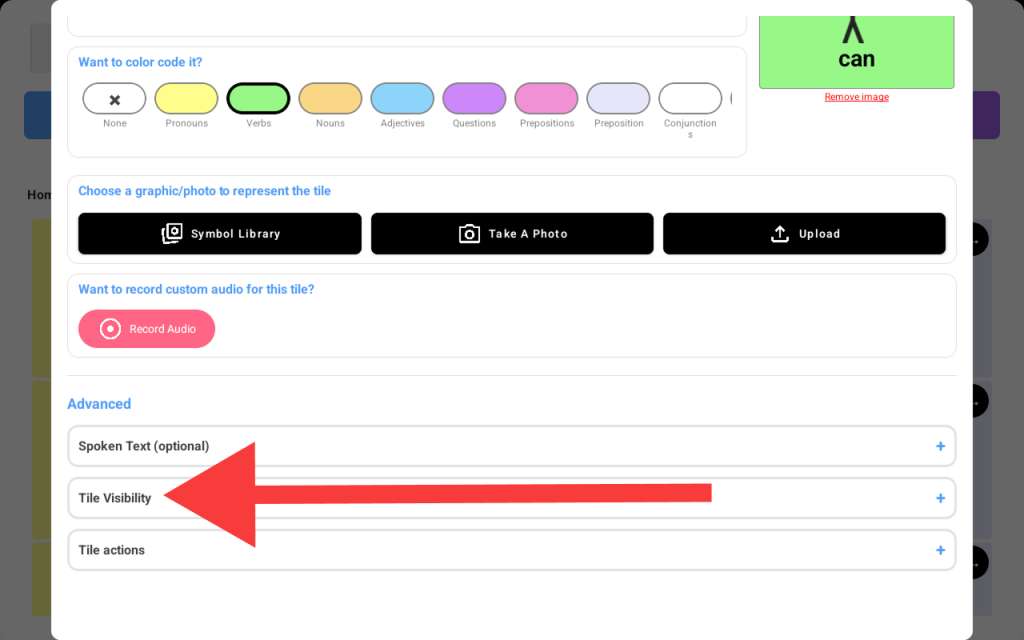
A tile edit screen will show up, scroll down to the “Advanced” section and tap on “Tile Visibility”
The section will expand to show available visibility options, select “Hidden.”
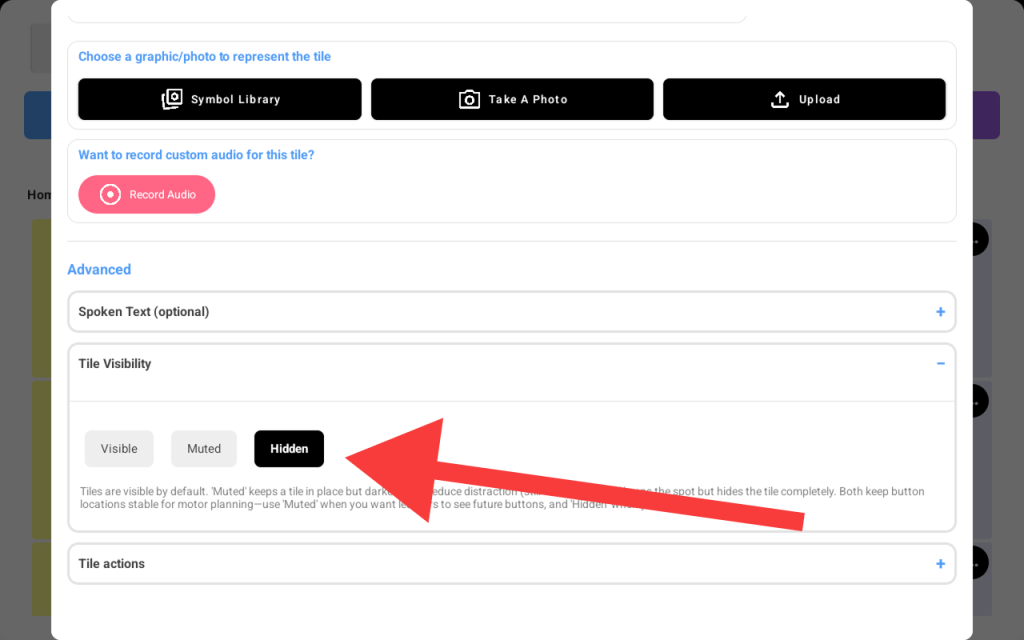
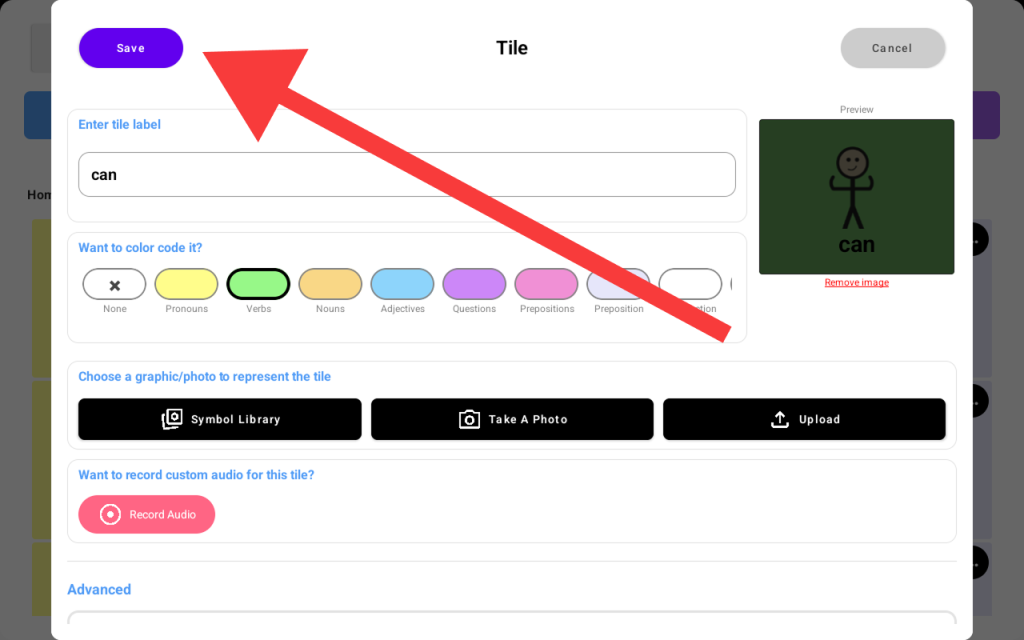
Note: You may also select "Muted" if you want the tile to still be visible but disabled for tapping. - Now scroll all the way up and tap the “Save” button
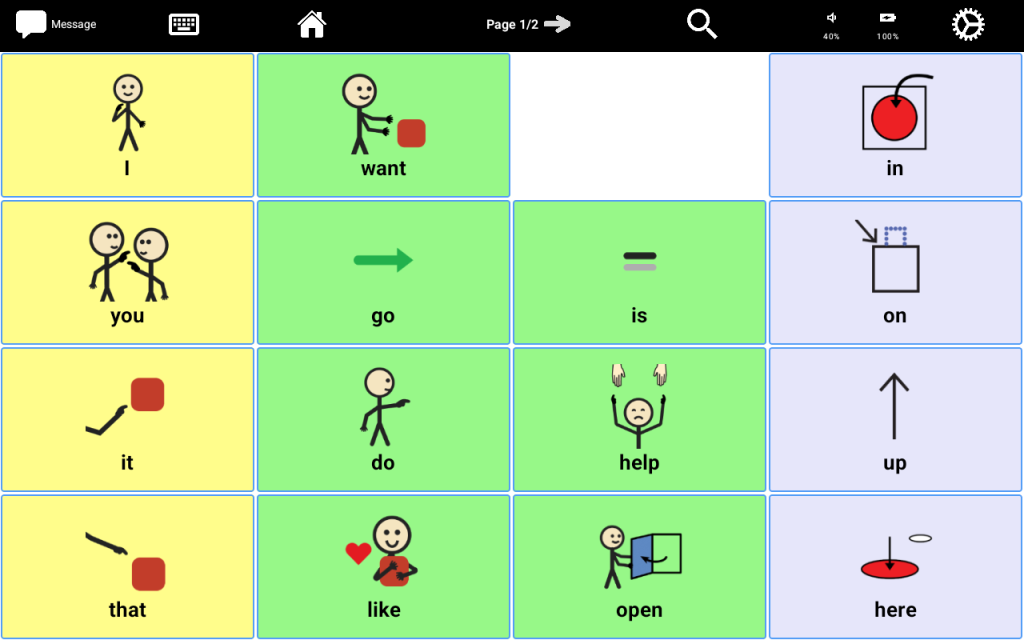
Now when you go back to your board, the tile will be hidden from your leaner.
- To enable the tile back when your learner is ready for new vocabulary, repeat the same actions as above and select “Visible” instead of “Hidden” in the tile visibility section.


